Univariate Analysis & Preprocessing


CSCI-866-001: Data Mining & Knowledge Discovery


Lecturer: Dr. Sothea HAS

📋 Outline

1. Data Analysis

  • Data Types
  • Qualitative data
  • Quantitative data
  • Real examples

2. Data Preprocessing

  • Data Sources
  • Data Quality
  • Data Preprocessing
  • Real Examples

1. Basic Data Analysis

Data Types

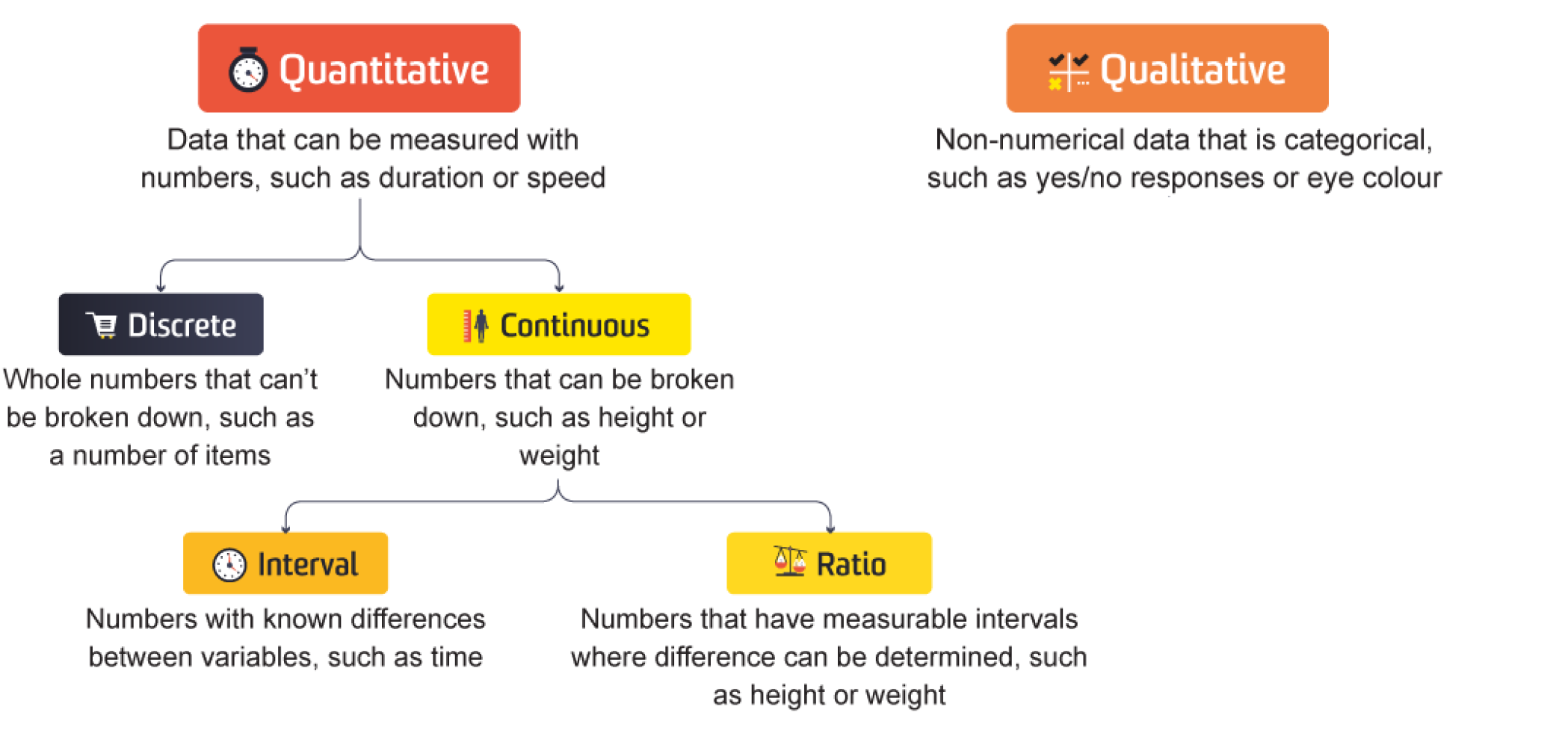
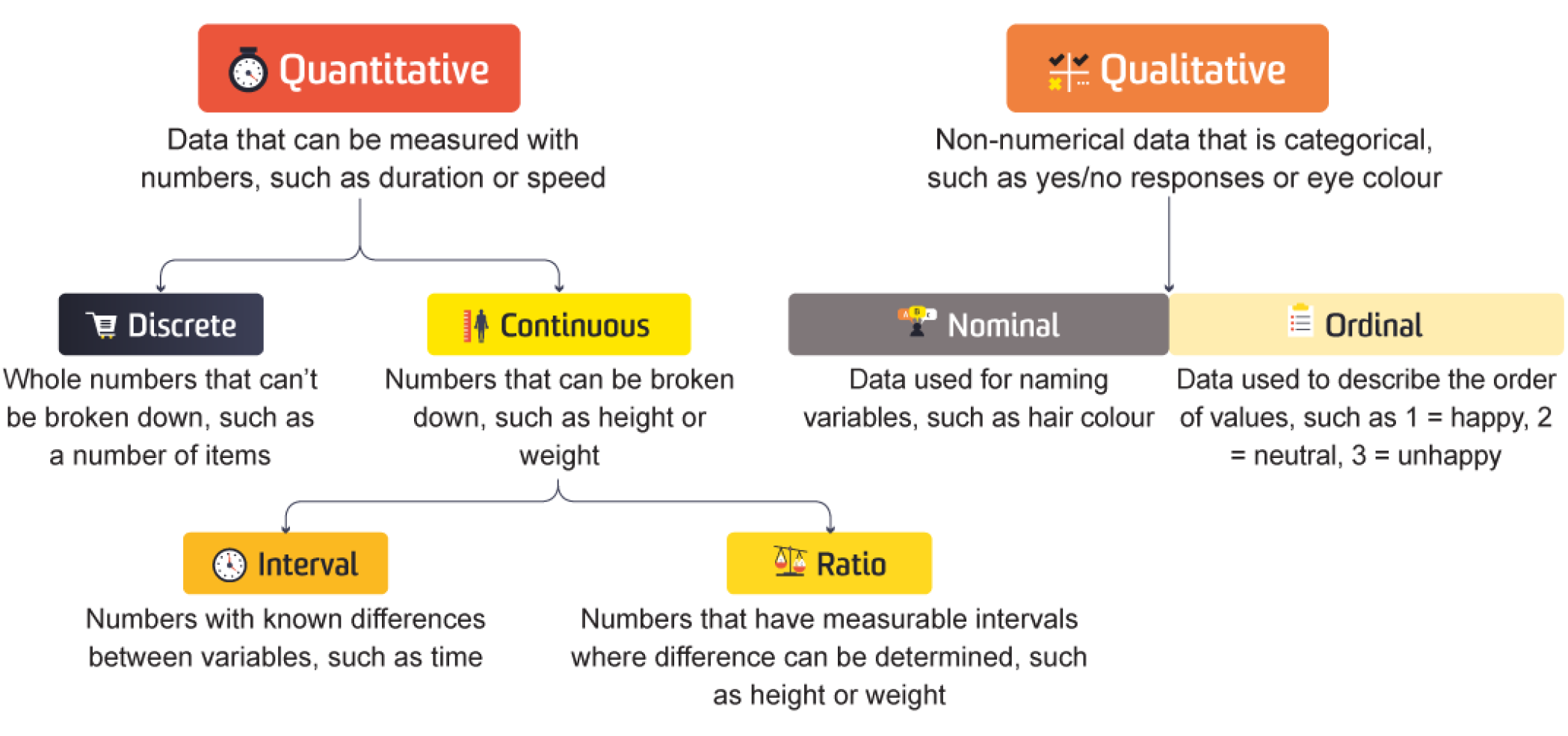
Data Types

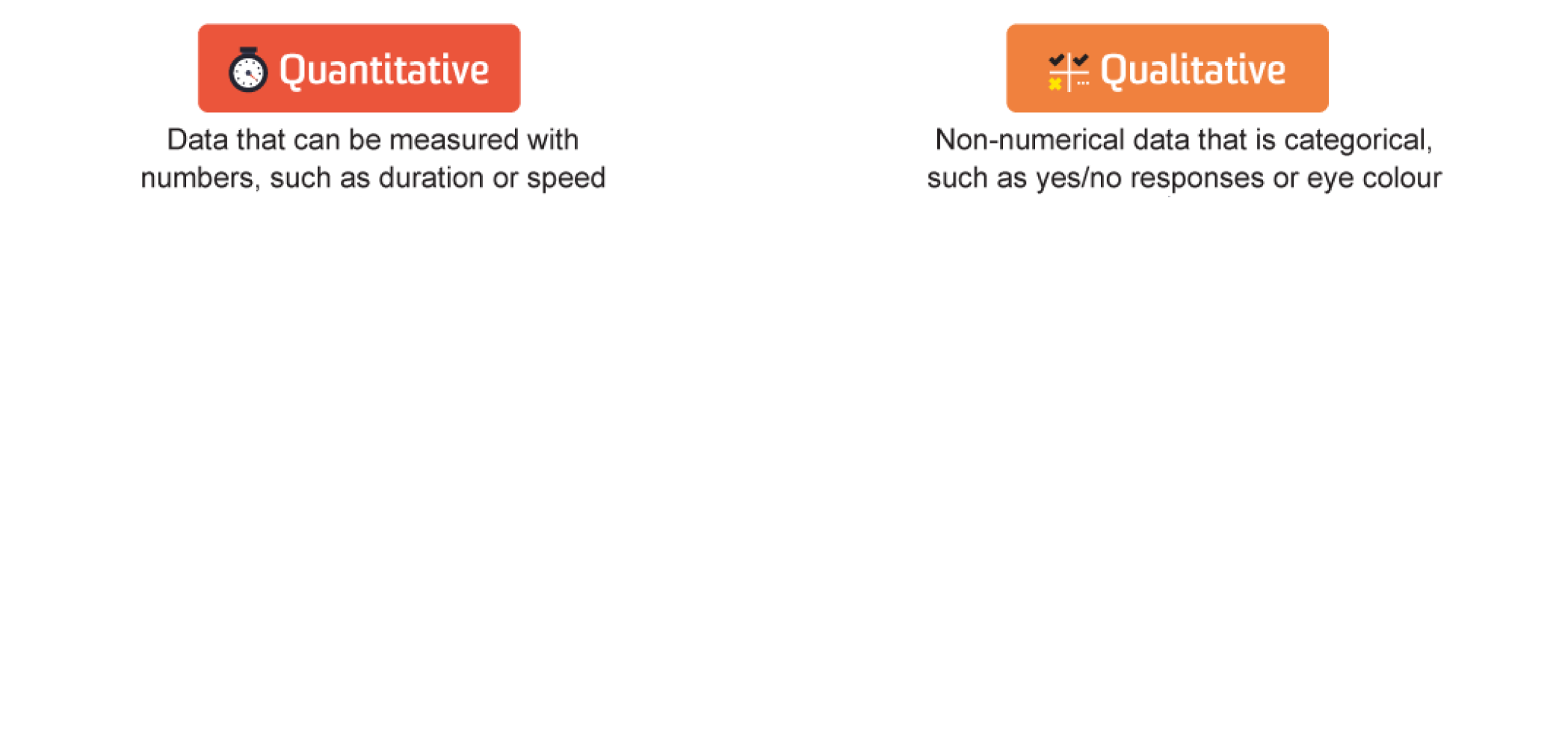
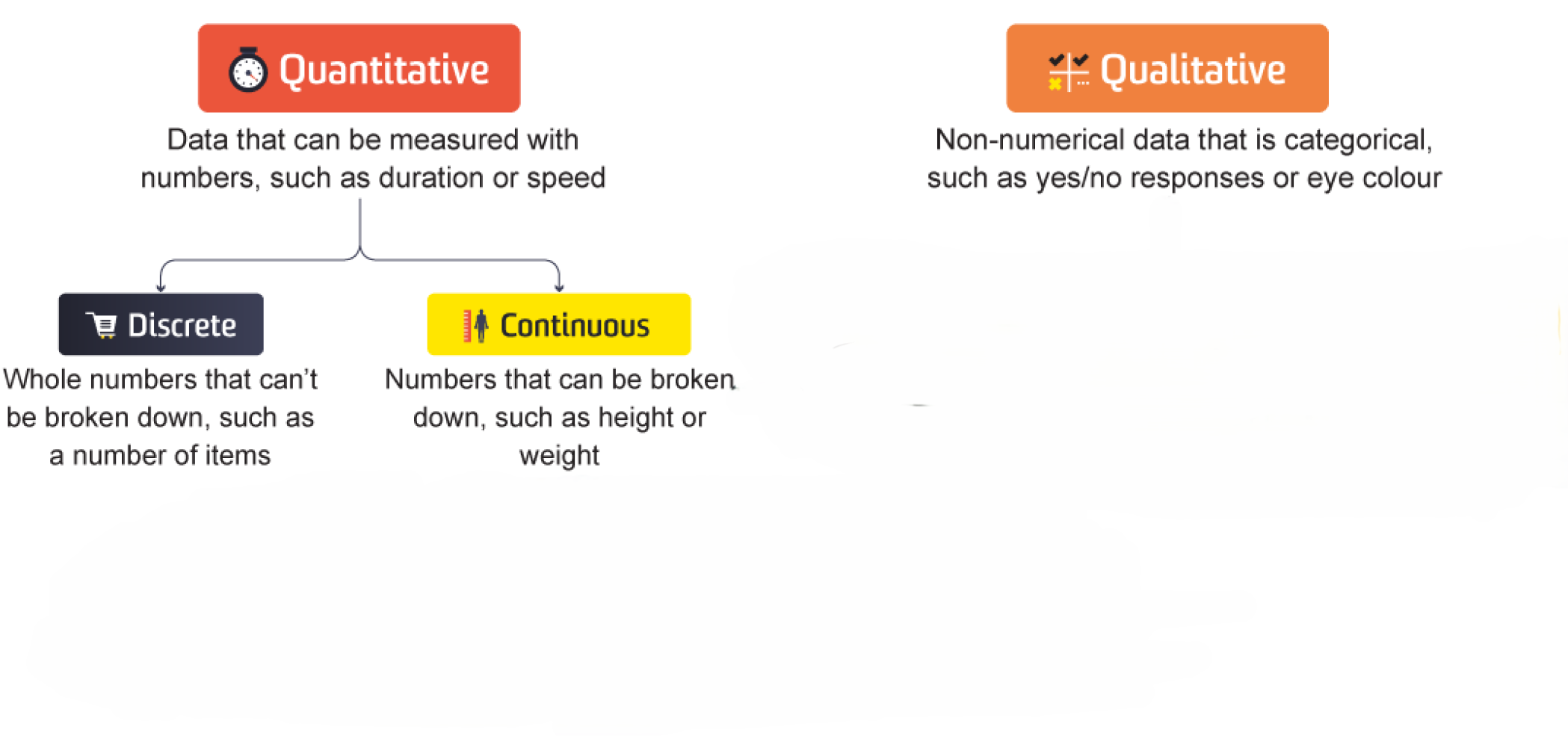
Quantity vs Quality

Code
import pandas as pd                 # Import pandas package
import seaborn as sns               # Package for beautiful graphs
import matplotlib.pyplot as plt     # Graph management
sns.set(style="whitegrid")          # Set grid background
data = pd.read_csv(path_titanic + "/Titanic-Dataset.csv" )  # Import it into Python
data[['Survived', 'Pclass', 'Age', 'Embarked']].head(5)                  # Show 5 first rows
Survived Pclass Age Embarked
0 0 3 22.0 S
1 1 1 38.0 C
2 1 3 26.0 S
3 1 1 35.0 S
4 0 3 35.0 S
  • Column Embarked is clearly different:
    • Performing \(+\), \(-\), \(\times\), \(\div\)… doesn’t make any sense!
    • Comparing \(<\), \(>\)… doesn’t make sense either!
  • Embarked is a Qualitative or Categorical data.
  • Age on the other hand is numbered:
    • Age \(50\) is older than \(30\).
    • Age \(20\) is \(5\) years younger than \(25\) or \(25-20=5\).
  • Age is a Quantitative or Numerical data.
  • Q1: How about other two columns?

Data Types

Quantity vs Quality

Data Types

Challenge

Code
data[['Sex', 'SibSp', 'Parch', 'Fare']].head()
Sex SibSp Parch Fare
0 male 1 0 7.2500
1 female 1 0 71.2833
2 female 0 0 7.9250
3 female 1 0 53.1000
4 male 0 0 8.0500


  • Q2: Define type of these columns.
Quantitative Qualitative
Column Dis Cont Nomi Ordi
Sex
SibSp
Parch
Fare
Quantitative Qualitative
Column Dis Cont Nomi Ordi
Sex
SibSp
Parch
Fare
Quantitative Qualitative
Column Dis Cont Nomi Ordi
Sex
SibSp
Parch
Fare
Quantitative Qualitative
Column Dis Cont Nomi Ordi
Sex
SibSp
Parch
Fare
Quantitative Qualitative
Column Dis Cont Nomi Ordi
Sex
SibSp
Parch
Fare


  • Now, let’s take a closer look!

Qualitative Data

Qualitative Data

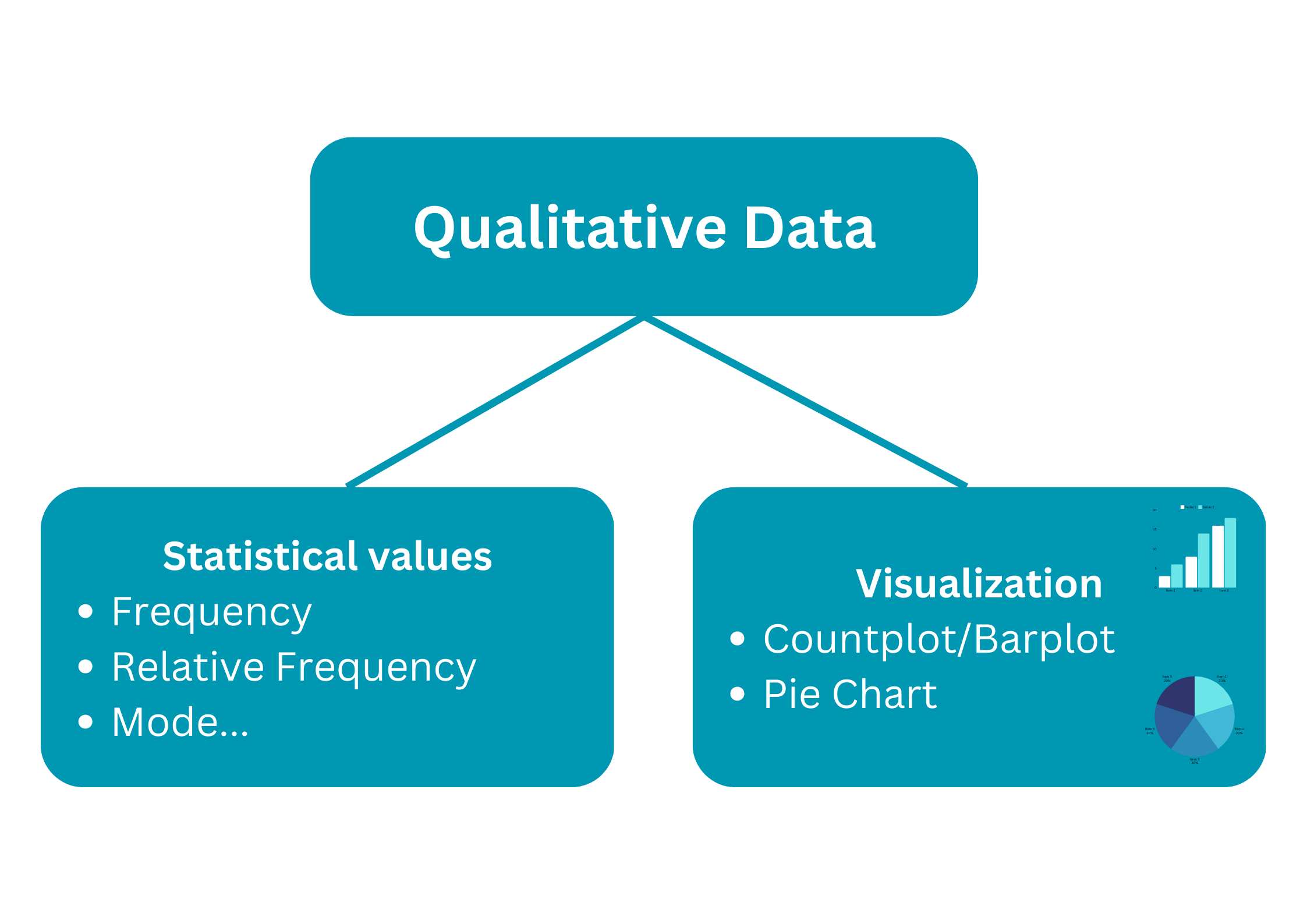
Statistical values

data[['Pclass', 'Survived', 'Embarked', 'Sex']].head()
Pclass Survived Embarked Sex
0 3 0 S male
1 1 1 C female
2 3 1 S female
3 1 1 S female
4 3 0 S male
  • What values should we use to describe qualitative data?

  • Absolute Frequency: Number of accurences of category.

  • Relative Frequency: proportion/percentage of each category.

  • Mode: Category with highest frequency.

  • Example:
Code
freq_tab = data[['Pclass']].value_counts().to_frame()
freq_tab['proportion'] = data[['Pclass']].value_counts(normalize=True).round(2)
freq_tab.T
Pclass 3 1 2
count 491.00 216.00 184.00
proportion 0.55 0.24 0.21

Code
freq_tab = data[['Sex']].value_counts().to_frame()
freq_tab['proportion'] = data[['Sex']].value_counts(normalize=True).round(2)
freq_tab.T
Sex male female
count 577.00 314.00
proportion 0.65 0.35
  • Q3: I dare you to take care of the other two columns 😏!

Qualitative Data

Visualization

data[['Pclass', 'Survived', 'Embarked', 'Sex']].head()
Pclass Survived Embarked Sex
0 3 0 S male
1 1 1 C female
2 3 1 S female
3 1 1 S female
4 3 0 S male
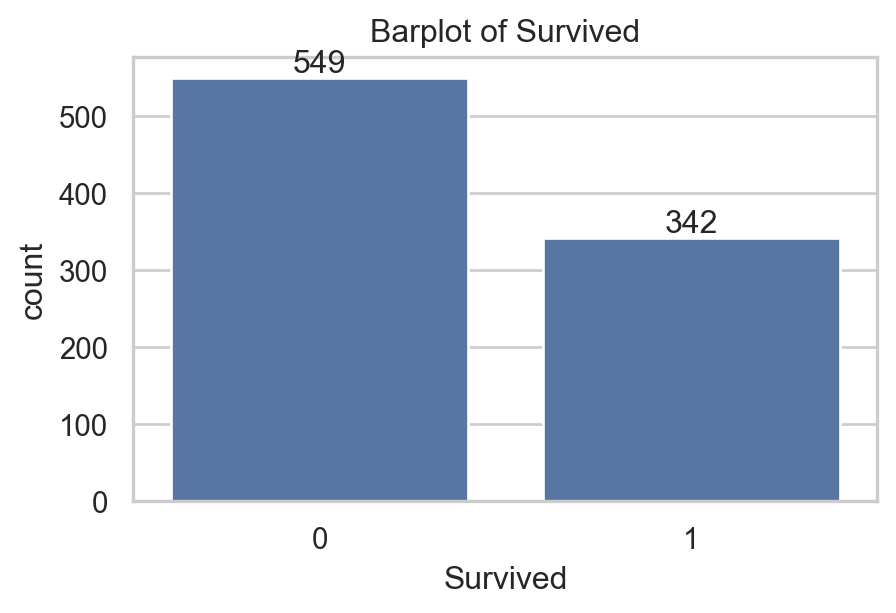
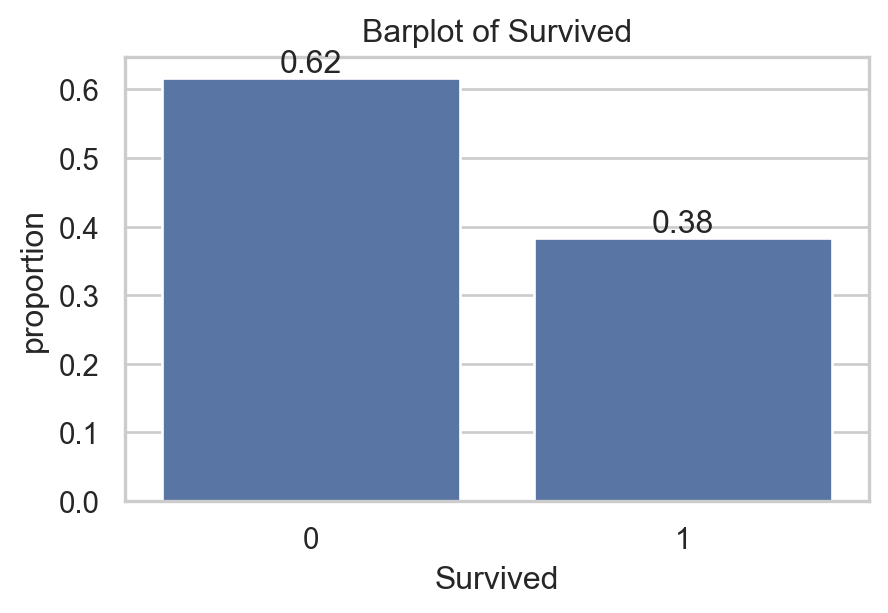
  • What graph should we use to present qualitative data?
  • Countplot/Barplot: Represent each count/proportion by a bar.
  • Example:
import matplotlib.pyplot as plt
import seaborn as sns  # For graph
sns.set(style="whitegrid") # set nice background
plt.figure(figsize=(5,3))
ax = sns.countplot(data, x="Survived") # create graph
ax.set_title("Barplot of Survived") # add title
ax.bar_label(ax.containers[0]) # add number to bars
plt.show() # Show graph

Qualitative Data

Visualization

data[['Pclass', 'Survived', 'Embarked', 'Sex']].head()
Pclass Survived Embarked Sex
0 3 0 S male
1 1 1 C female
2 3 1 S female
3 1 1 S female
4 3 0 S male
  • What graph should we use to present qualitative data?
  • Countplot/Barplot: Represent each count/proportion by a bar.
  • Example:
import matplotlib.pyplot as plt
import seaborn as sns  # For graph
sns.set(style="whitegrid") # set nice background
plt.figure(figsize=(5,3))
ax = sns.countplot(data,x="Survived", stat="proportion")
ax.set_title("Barplot of Survived") # add title
ax.bar_label(ax.containers[0], fmt="%0.2f") # number
plt.show() # Show graph

Qualitative Data

Visualization

data[['Pclass', 'Survived', 'Embarked', 'Sex']].head()
Pclass Survived Embarked Sex
0 3 0 S male
1 1 1 C female
2 3 1 S female
3 1 1 S female
4 3 0 S male
  • What graph should we use to present qualitative data?
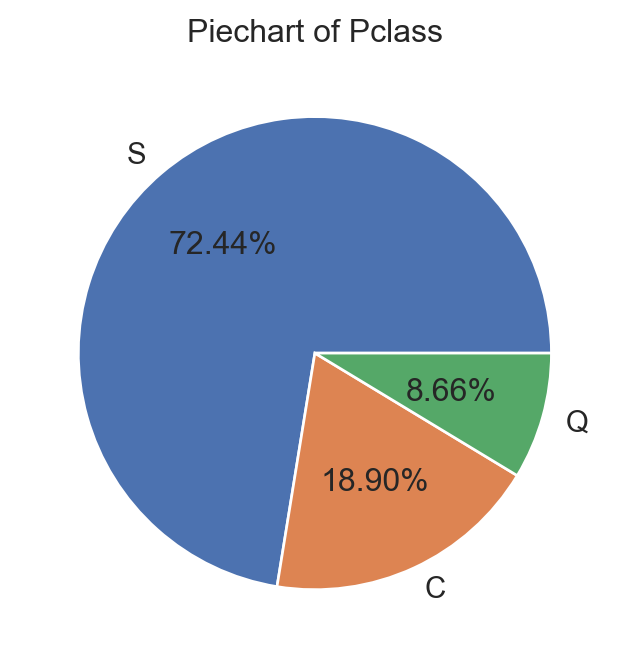
  • Pie chart: Represent count/proportion by circular slices.
  • Example:
import matplotlib.pyplot as plt
import seaborn as sns  # For graph
sns.set(style="whitegrid") # set nice background
plt.figure(figsize=(6,4))
tab = data['Embarked'].value_counts() # Compute 
plt.pie(tab, labels=tab.index, autopct='%0.2f%%') # graph
plt.title("Piechart of Pclass") # add title
plt.show() # Show graph

Qualitative Data

Visualization

data[['Pclass', 'Survived', 'Embarked', 'Sex']].head()
Pclass Survived Embarked Sex
0 3 0 S male
1 1 1 C female
2 3 1 S female
3 1 1 S female
4 3 0 S male
  • What graph should we use to present qualitative data?
  • Pie chart: Represent count/proportion by circular slices.

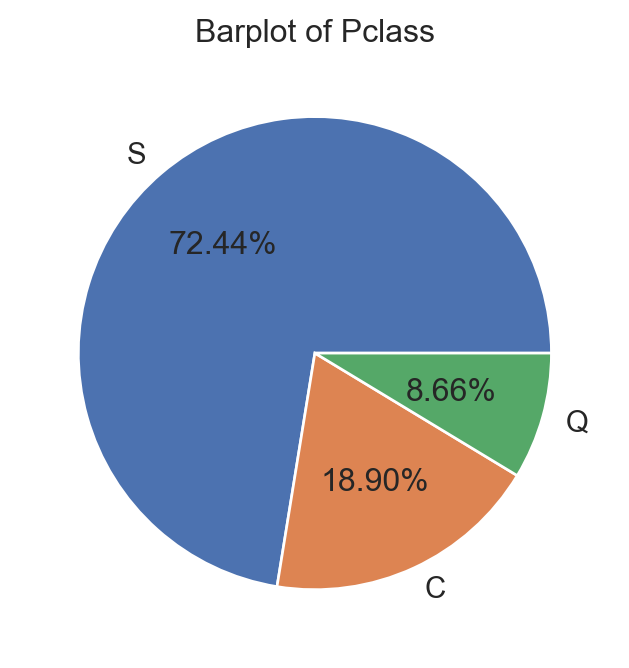
⚠️ Pie charts can be challenging to read with numerous categories. They’re harder to percieve when many categories have similar proportions.

  • Example:
import matplotlib.pyplot as plt
import seaborn as sns  # For graph
sns.set(style="whitegrid") # set nice background
plt.figure(figsize=(6,4))
tab = data['Embarked'].value_counts() # Compute 
plt.pie(tab, labels=tab.index, autopct='%0.2f%%') # graph
plt.title("Barplot of Pclass") # add title
plt.show() # Show graph

Qualitative Data

Summary

Quantitative Data

Quantitative Data

Statistical values

data[['Age', 'Fare', 'SibSp', 'Parch']].head()
Age Fare SibSp Parch
0 22.0 7.2500 1 0
1 38.0 71.2833 1 0
2 26.0 7.9250 0 0
3 35.0 53.1000 1 0
4 35.0 8.0500 0 0
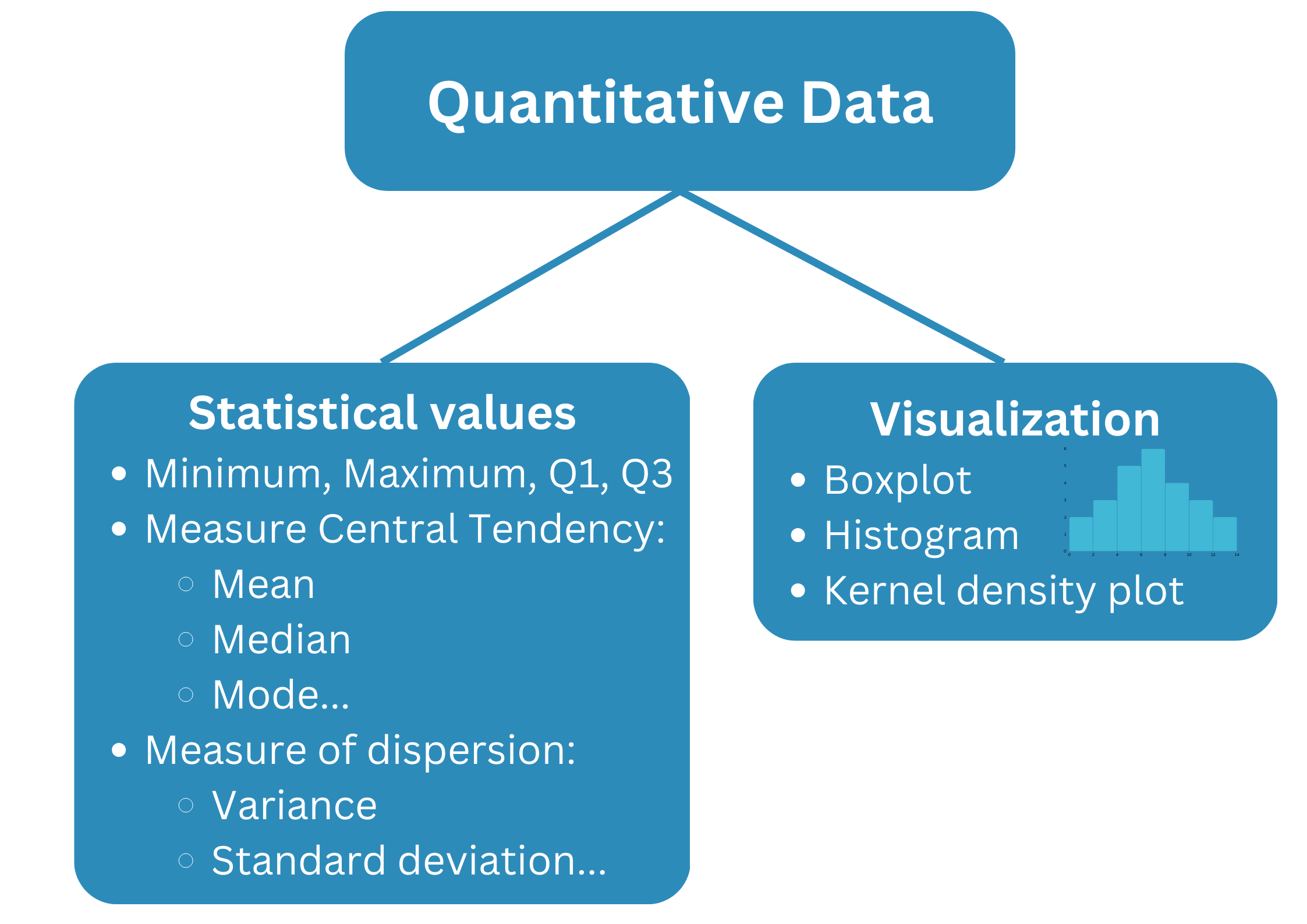
  • What values should we use to describe quantitative data?
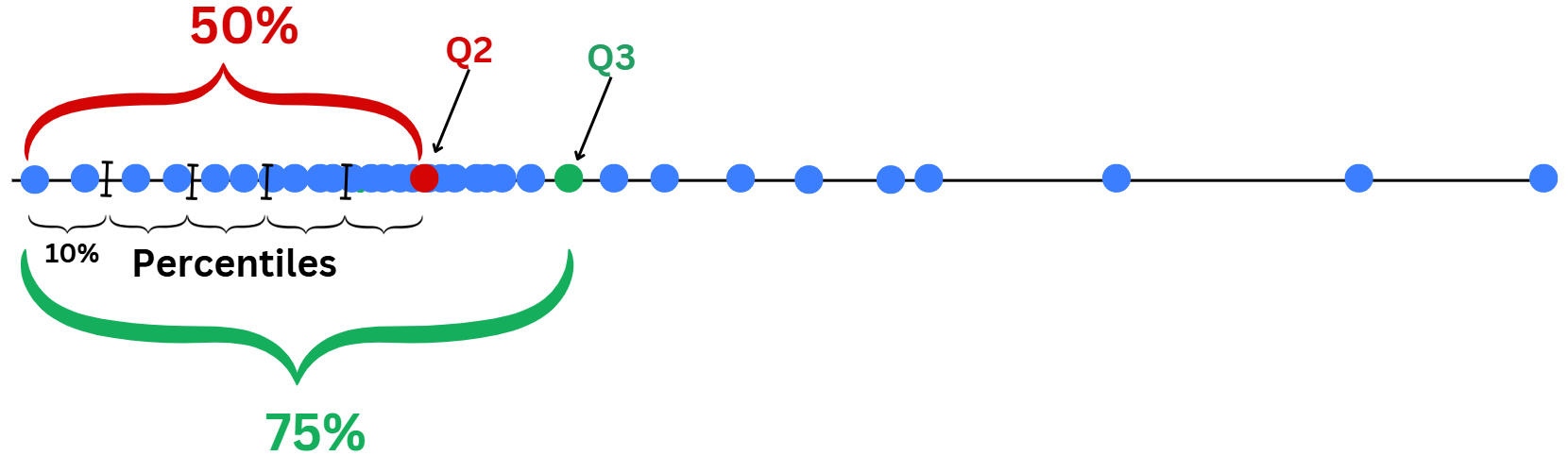
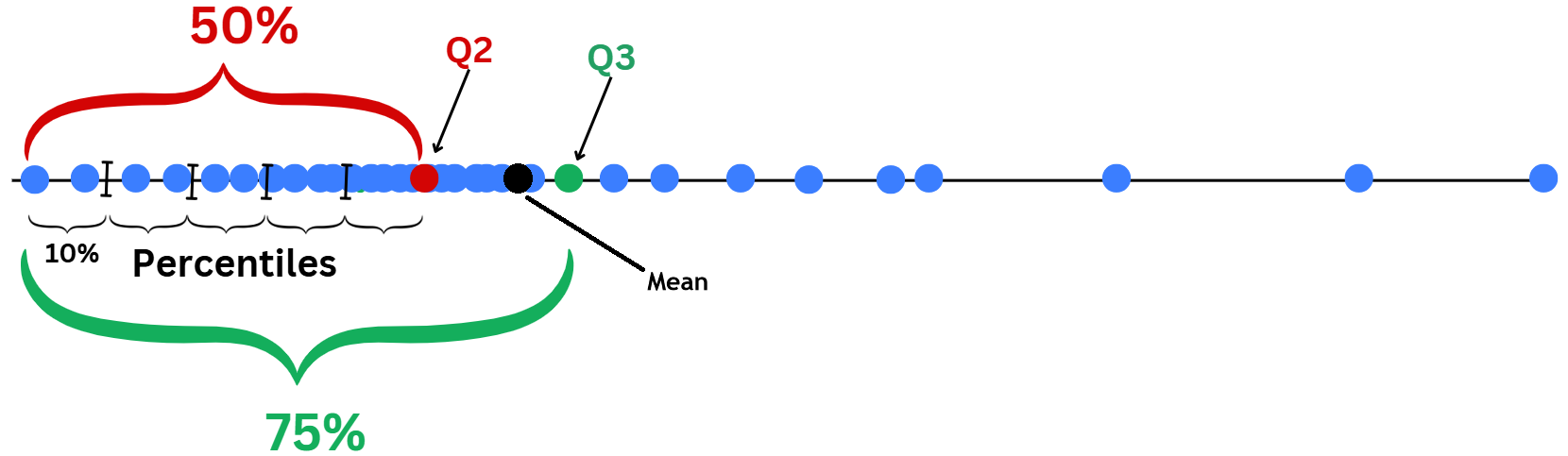
  • Quantiles: For data sorted in ascending order, the cut points divide the range into contiguous proportion intervals.

Examples:

  • Percentiles: Divides data into 100 equal parts.
  • Quartiles: The 25th (Q1), 50th (Q2 or median), and 75th (Q3) percentiles.

min 25% 50% 75% max
Fare 0.00 7.91 14.45 31.0 512.33
Age 0.42 20.12 28.00 38.0 80.00

Quantitative Data

Statistical values

data[['Age', 'Fare', 'SibSp', 'Parch']].head()
Age Fare SibSp Parch
0 22.0 7.2500 1 0
1 38.0 71.2833 1 0
2 26.0 7.9250 0 0
3 35.0 53.1000 1 0
4 35.0 8.0500 0 0
  • What values should we use to describe quantitative data?
  • Quantiles: For data sorted in ascending order, the cut points divide the range into contiguous proportion intervals.

Method to find Quartiles:

  • Sort the data in ascening order: \(X_1,...,X_n\).
  • If \(n\) is even: \(Q_2=\frac{X_{(n/2)}+X_{(n/2)+1}}{2}\).
    • \(Q_1\) is the middle point of the lower half data.
    • \(Q_3\) is the middle point of the upper half data.
  • If \(n\) is odd: \(Q_2=X_{(n+1)/2}\).
    • \(Q_1\) and \(Q_3\) can be computed as in the previous case.

Quantitative Data

Statistical values

data[['Age', 'Fare', 'SibSp', 'Parch']].head()
Age Fare SibSp Parch
0 22.0 7.2500 1 0
1 38.0 71.2833 1 0
2 26.0 7.9250 0 0
3 35.0 53.1000 1 0
4 35.0 8.0500 0 0
  • Median (Q2) is a value that describe Measure of Central Tendency.

  • Mean: Average value of all data points:

\[\color{blue}{\overline{X}=\frac{1}{n}\sum_{i=1}^nX_i=\frac{X_1+\dots+X_n}{n}}.\]

Examples:

mean = data[['Age','Fare']].mean()\
                        .to_frame()
mean.columns = ['Mean']
mean.T
Age Fare
Mean 29.699118 32.204208
  • The average age of passengers was around \(30\) years old.

  • In average, passengers spent approximately \(£32\) in fare.

Quantitative Data

Statistical values

data[['Age', 'Fare', 'SibSp', 'Parch']].head()
Age Fare SibSp Parch
0 22.0 7.2500 1 0
1 38.0 71.2833 1 0
2 26.0 7.9250 0 0
3 35.0 53.1000 1 0
4 35.0 8.0500 0 0
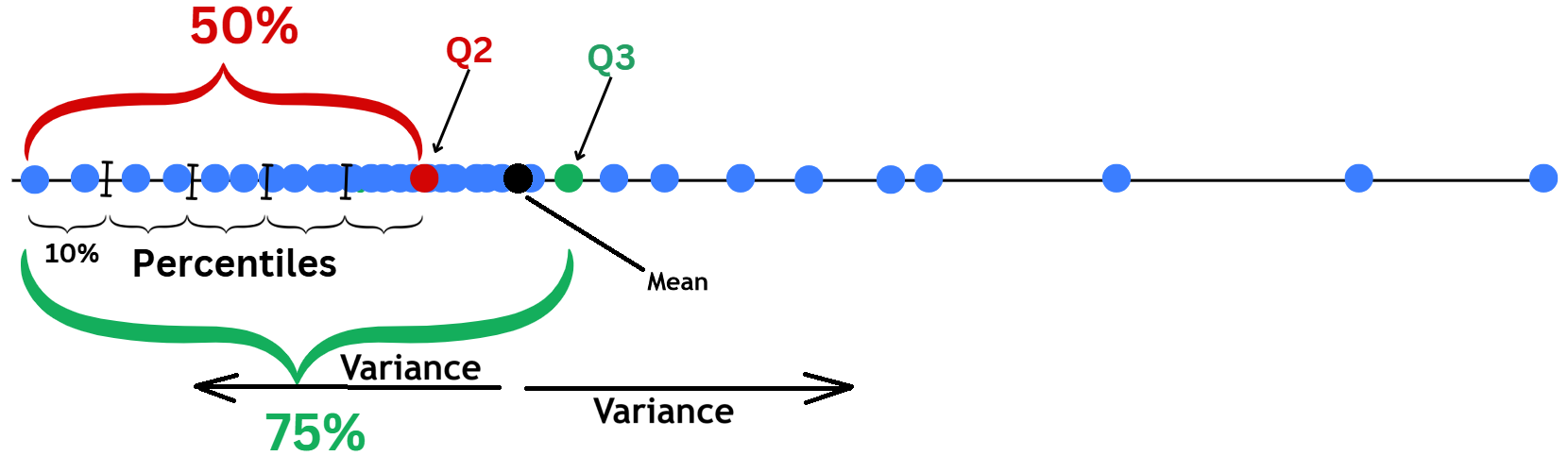
  • Two main Measure of dispersion:

  • Sample variance: average squared distance of data points from the Mean.

\[\color{blue}{\widehat{\sigma}^2=\frac{1}{n-1}\sum_{i=1}^n(X_i-\overline{X})^2}.\]

Examples:

var = data[['Age','Fare']].var()\
                        .to_frame()\
                        .round(3)
var.columns = ['Var']
var.T
Age Fare
Var 211.019 2469.437
  • Large variance means that data points are widely spread out from the Mean.

Quantitative Data

Statistical values

data[['Age', 'Fare', 'SibSp', 'Parch']].head()
Age Fare SibSp Parch
0 22.0 7.2500 1 0
1 38.0 71.2833 1 0
2 26.0 7.9250 0 0
3 35.0 53.1000 1 0
4 35.0 8.0500 0 0
  • Two main Measure of dispersion:

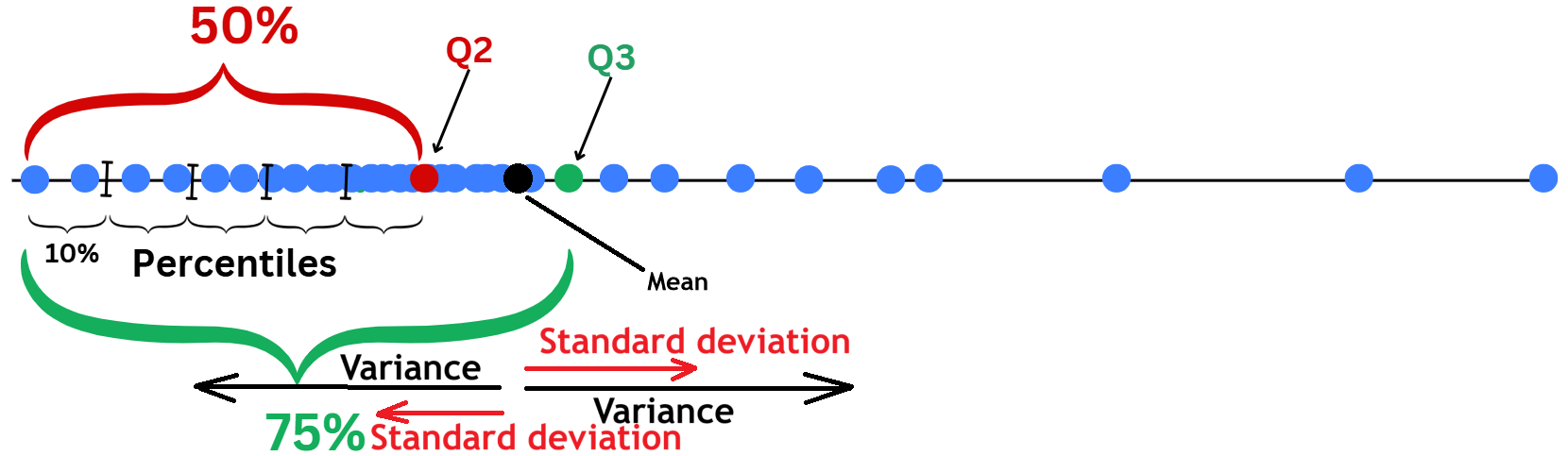
  • Sample standard deviation: Just the square root of Variance.

\[\color{blue}{\widehat{\sigma}=\sqrt{\widehat{\sigma}^2}=\sqrt{\frac{1}{n-1}\sum_{i=1}^n(X_i-\overline{X})^2}}.\]

Examples:

std = data[['Age','Fare']]\
        .apply(['var', 'std'])
std
Age Fare
var 211.019125 2469.436846
std 14.526497 49.693429
  • Large standard deviation (Std) means data points are spread out widely from the Mean.
  • Std has the same unit as \(X_i\).

Quantitative Data

Statistical Summary

data[['Age', 'Fare', 'SibSp', 'Parch']].head()
Age Fare SibSp Parch
0 22.0 7.2500 1 0
1 38.0 71.2833 1 0
2 26.0 7.9250 0 0
3 35.0 53.1000 1 0
4 35.0 8.0500 0 0
  • Statistical summary uses all key values to help us understand how the data is distributed:
    • Where the data is concentrated (mean/median).
    • How spread out it is (var/std)…

Examples:

data[['Age','Fare']]\
        .describe()  # for summary
Age Fare
count 714.000000 891.000000
mean 29.699118 32.204208
std 14.526497 49.693429
min 0.420000 0.000000
25% 20.125000 7.910400
50% 28.000000 14.454200
75% 38.000000 31.000000
max 80.000000 512.329200

Quantitative Data

Visualization: Boxplot

Age Fare SibSp Parch
0 22.0 7.2500 1 0
1 38.0 71.2833 1 0
2 26.0 7.9250 0 0
3 35.0 53.1000 1 0
4 35.0 8.0500 0 0
Code
import plotly.express as px
fig = px.box(data, x="Fare")
fig.update_layout(height=220,
                  width=500,
                  title="Boxplot of Fare")
fig.show()
  • Boxplots describe data using Quartiles and the range where data normally fall within.
  • Lower and upper fence are \(Q_1\) and \(Q_3\). Median \(Q_2\) is the middle line.
  • Interquartile range: \(\text{IQR}=Q_3-Q_1\), it’s the gap that covers central range of \(50\%\) of data.
  • Range: \([Q_1-1.5\text{IQR},Q_3+1.5\text{IQR}]\). If the data are normally distributed.
  • Data points that fall outside this range, can be considered Outliers (data that deviate away from usual observations).

Quantitative Data

Visualization: Boxplot

Code
import plotly.express as px
fig = px.box(data, x="Fare")
fig.update_layout(height=220,
                  width=500,
                  title="Boxplot of Fare")
fig.show()
  • This boxplot tells us that:
    • Fares range from \(£0\) to maximum fare of \(£512.33\).
    • \(Q_1=£7.9\) indicating that around \(25\%\) of passengers spent less than \(£7.9\) to get to the ship.
    • \(Q_2=£14.45\) (Median): \(\approx 50\%\) spent less than \(£14.45\).
    • \(Q_3=£31\): \(\approx 75\%\) spent less than \(£31\).
    • There are many outliers, passengers who spent more than upper fence of \(£65\), with largest fare of \(£512.33\).
  • Boxplots describe data using Quartiles and the range where data normally fall within.
  • Lower and upper fence are \(Q_1\) and \(Q_3\). Median \(Q_2\) is the middle line.
  • Interquartile range: \(\text{IQR}=Q_3-Q_1\), it’s the gap that covers central range of \(50\%\) of data.
  • Range: \([Q_1-1.5\text{IQR},Q_3+1.5\text{IQR}]\). If the data are normally distributed.
  • Data points that fall outside this range, can be considered Outliers (data that deviate away from usual observations).

Quantitative Data

Visualization: Histogram

Code
import plotly.express as px
fig = px.histogram(data, x="Age")
fig.update_layout(height=220, 
                  width=500,
                  title="Histogram of Age")
fig.show()
  • A histogram is constructed by:
    • Defining a grid range of bins: \(B_1, \dots, B_N\).
    • The height of each bar represents the count of \(X_i\) values that fall within the corresponding bin.
  • It describes the frequency of observations within each bin range.

Mathematical definition of histogram

  • Define bins: \(B_1,\dots, B_N\).
  • For any \(x\) and \(x\in B_k\) for some \(k\) then

\[\text{hist}(x)=\sum_{i=1}^n\mathbb{1}_{\{X_i\in B_k\}}.\]


For this example of Age:

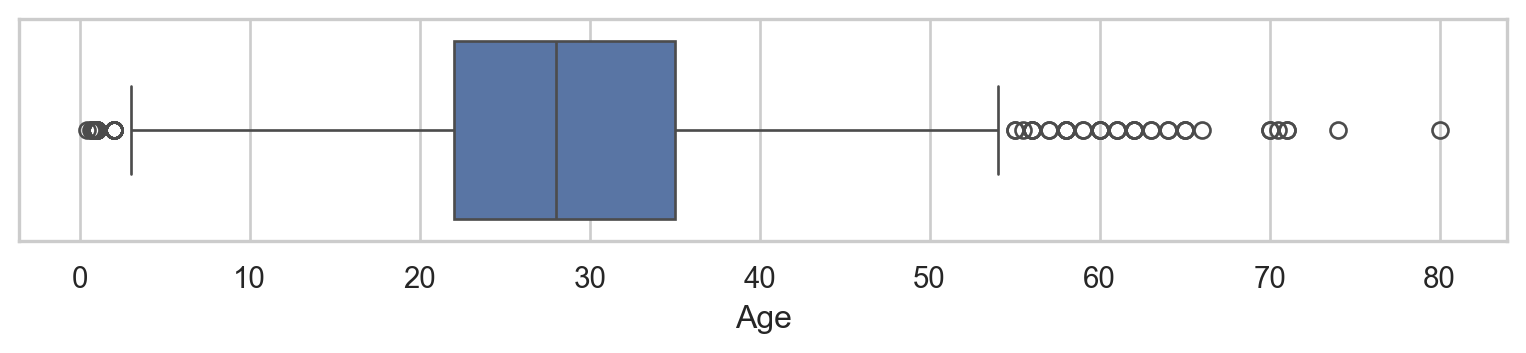
  • Most passengers were between 16 and 52 years old.
  • There were more children younger than 10 years old than those around 10 years old.
  • There were fewer than 10 individuals in each age group older than 52 years old.

Quantitative Data

Visualization: Kernel Density Plot (KDE)

Code
import plotly.figure_factory as ff
age = [data[['Age']].dropna().values.reshape(-1)]
group_labels = ['distplot']
fig = ff.create_distplot(age, group_labels=group_labels, bin_size=1.9)
fig.update_layout(height=220,
                  width=500,
                  title="Histogram of Age")
fig.show()
  • A Kernel Density Plot is a smooth, continuous version of a histogram.
  • It describes the relative frequency of observations over ranges of values.
  • It has nicer mathematical properties than histograms.

Mathematical definition of KDE

  • If \(K\) is a smooth kernel function, for example: \(K(x)=e^{-x^2/2}\).
  • For a given \(h>0\) and for any \(x\):

\[\text{kde}(x)=\frac{1}{nh}\sum_{i=1}^nK\Big(\frac{x-X_i}{h}\Big).\]


  • Kernel density plot conveys similar information as histograms.
  • It’s often discussed in pobability and statistics classes.

Quantitative Data

Summary

Real examples

Real examples

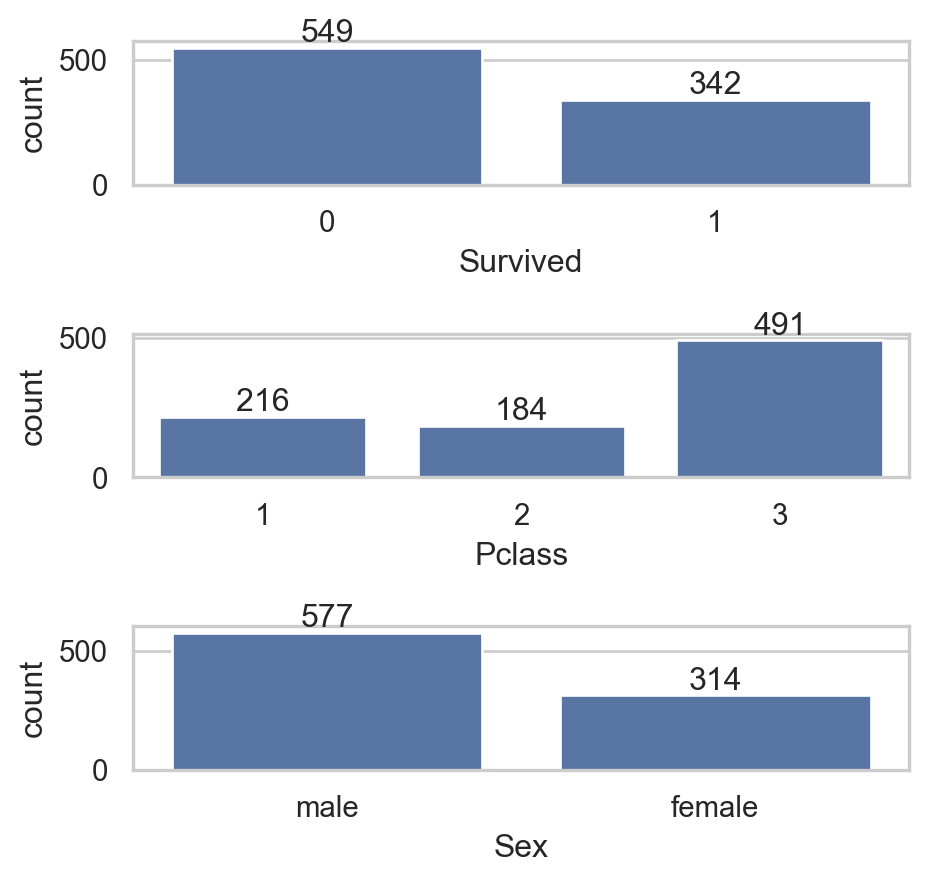
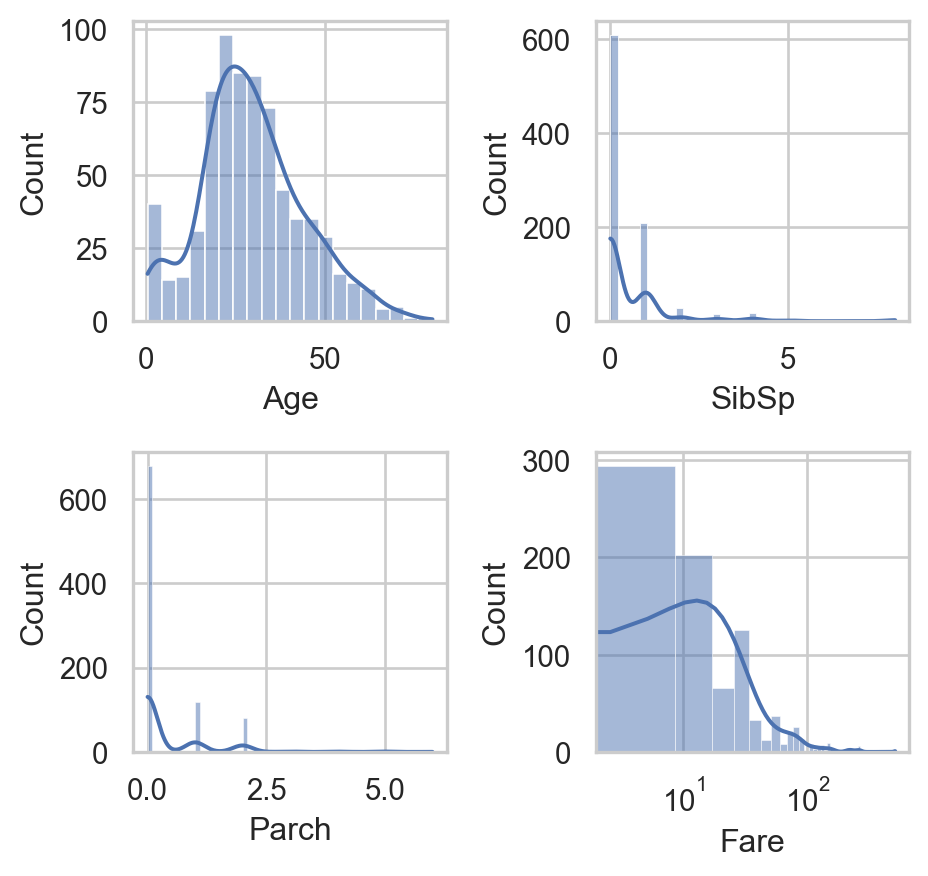
Our Titanic Dataset

Qualitative columns

Code
qual_var = ['Survived', 'Pclass', 'Sex']
fig, axs = plt.subplots(3, 1, figsize=(5,4.75))
for i, va in enumerate(qual_var):
    sns.countplot(data[qual_var], x=va, ax=axs[i])
    axs[i].bar_label(axs[i].containers[0])
plt.tight_layout()
plt.show()

Quantitative columns

Code
quan_var = ['Age', 'SibSp', 'Parch', 'Fare']
fig, axs = plt.subplots(2, 2, figsize=(5,4.75))
for i, va in enumerate(quan_var):
    sns.histplot(data[quan_var], x=va, ax=axs[i//2, i%2], kde=True)
    if va == 'Fare':
        axs[i//2, i%2].set_xscale('log')
plt.tight_layout()
plt.show()

2. Data Quality & Preprocessing

Data Sources

Data Sources

Primary

  • Data collected directly from the source for a specific purpose.
  • Example:
    • Surveys or Questionnaires 🗳️
    • Interviews 🎙️
    • Observations 🧐
    • Experiments 🔬

Secondary

  • Data that has already been collected, processed, and made available by others.
  • Example:
    • Government publications or reports 📄
    • Books and articles 📚
    • Online databases and repositories 🌐
    • Industry/NGO reports 🏭

Data Sources

Format

Structured

  • Highly organized and easily searchable in databases using predefined schemas.
  • Structure: typically stored in tables with rows and columns.
  • Example:
    • Spreadsheets: Excel
    • CSV files

Unstructured

  • Lacks a predefined format or schema and is typically stored in its raw form.
  • Structure: Free-form and can be text, images, videos
  • Example:
    • Emails/Documents (e.g., Word files, PDFs)
    • Social media posts, images, audio, videos
    • Web pages…

Data Quality

Data quality

  • Someone in 60s said Garbage In, Garbage Out (GIGO)!.
  • Data quality is the most important thing in Data Analysis.

Data quality

Data quality

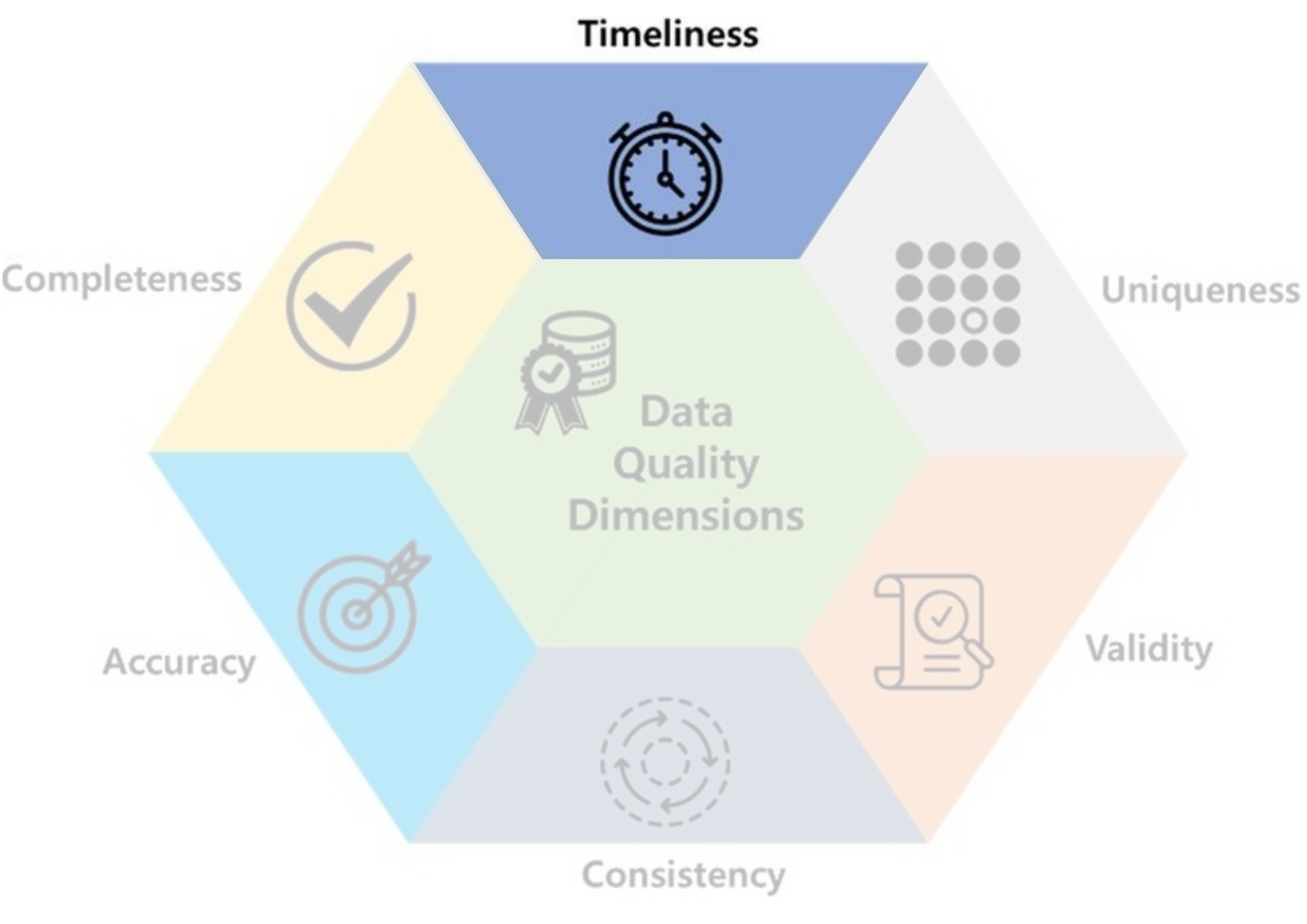
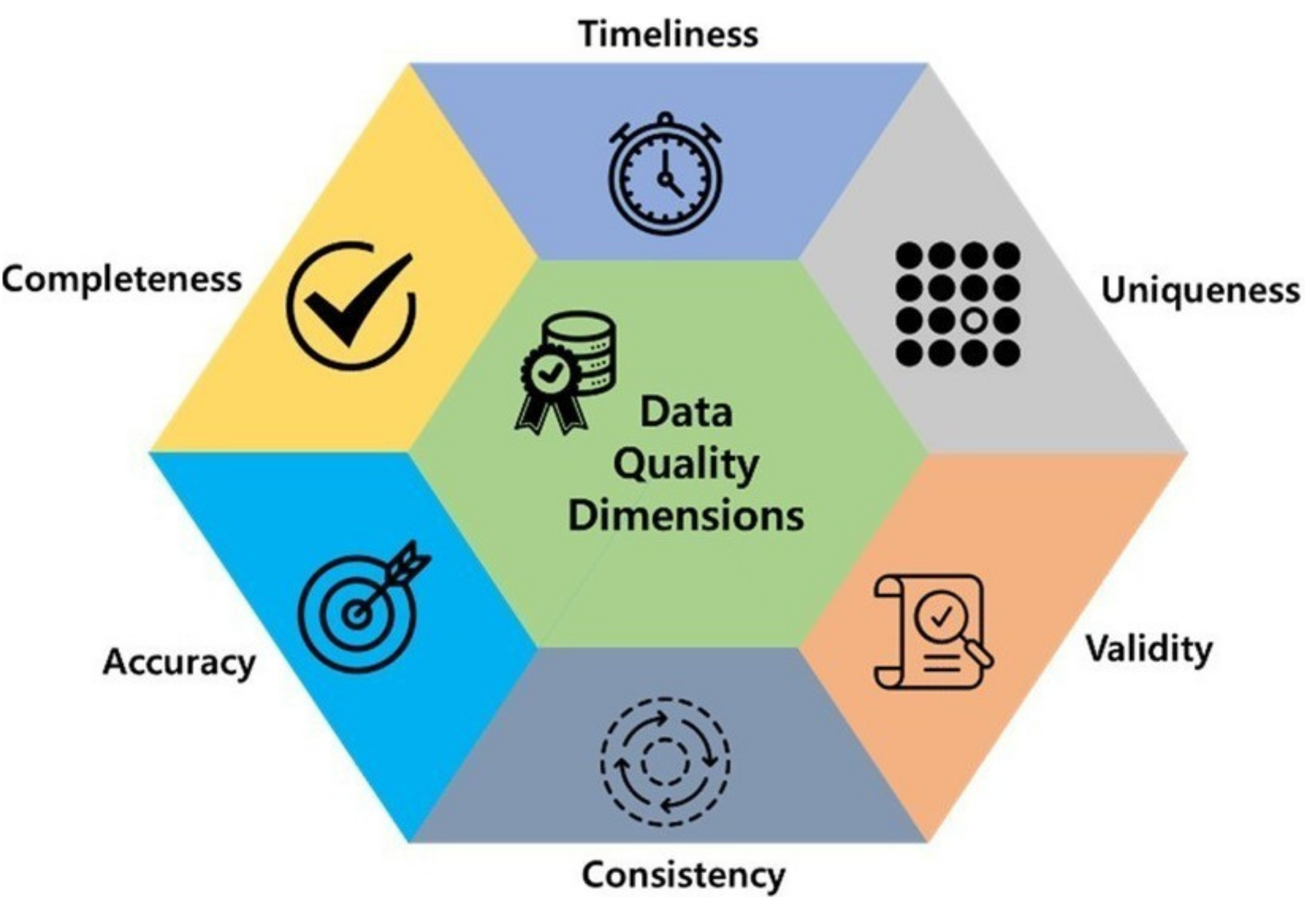
  • Timeliness: how up-to-date the data is for its intended use.
  • Ex: Temperature of 60s wouldn’t help forecasting tomorrow.

Data quality

  • Uniqueness: data should not be duplicated.
  • Ex: Recording the same female heart disease patient many times may lead to a conclude that females have a higher likelihood of developing heart disease.

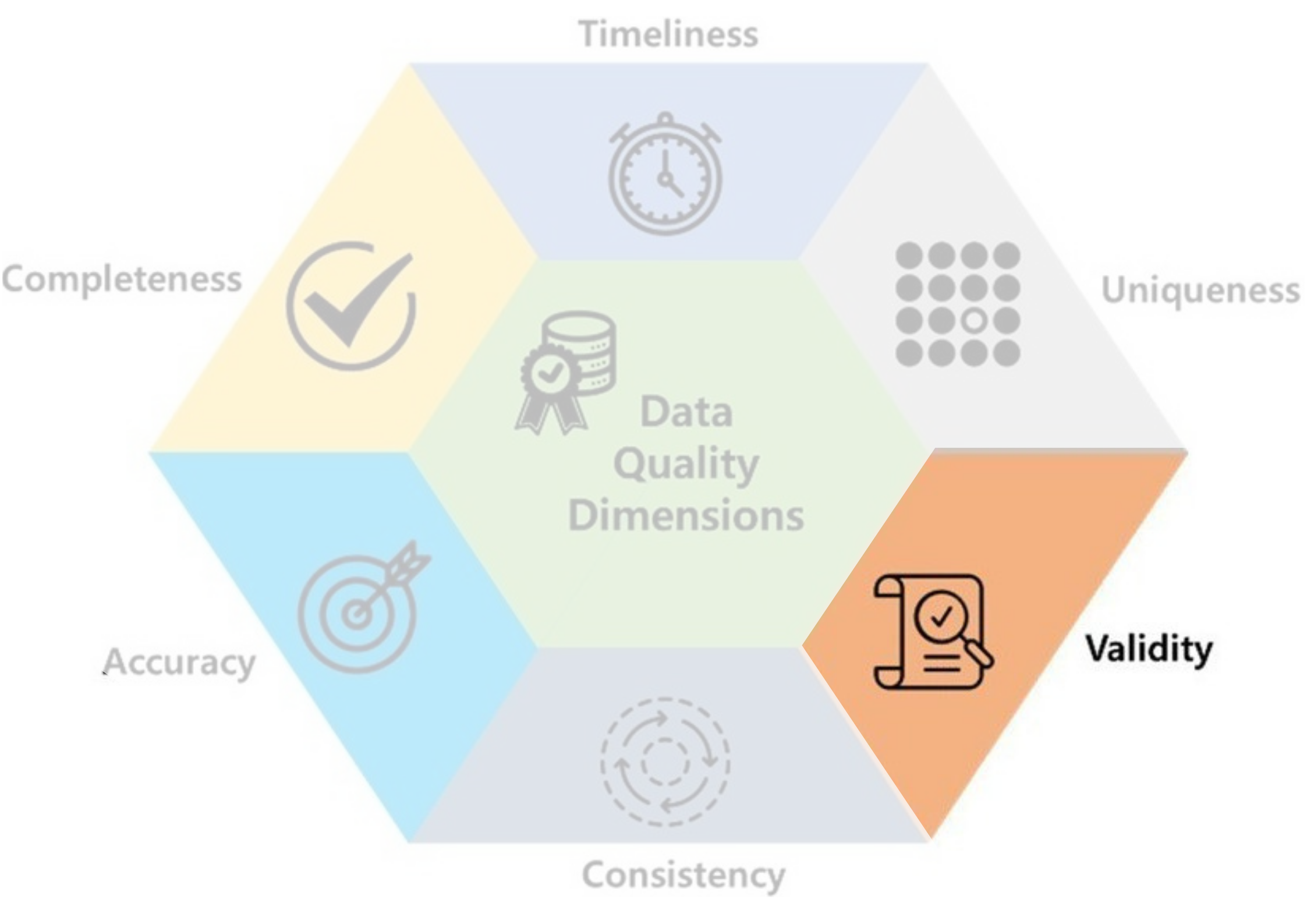
Data quality

  • Validity: data should take values within its valid range.
  • Ex: Height & weight should not be 0.

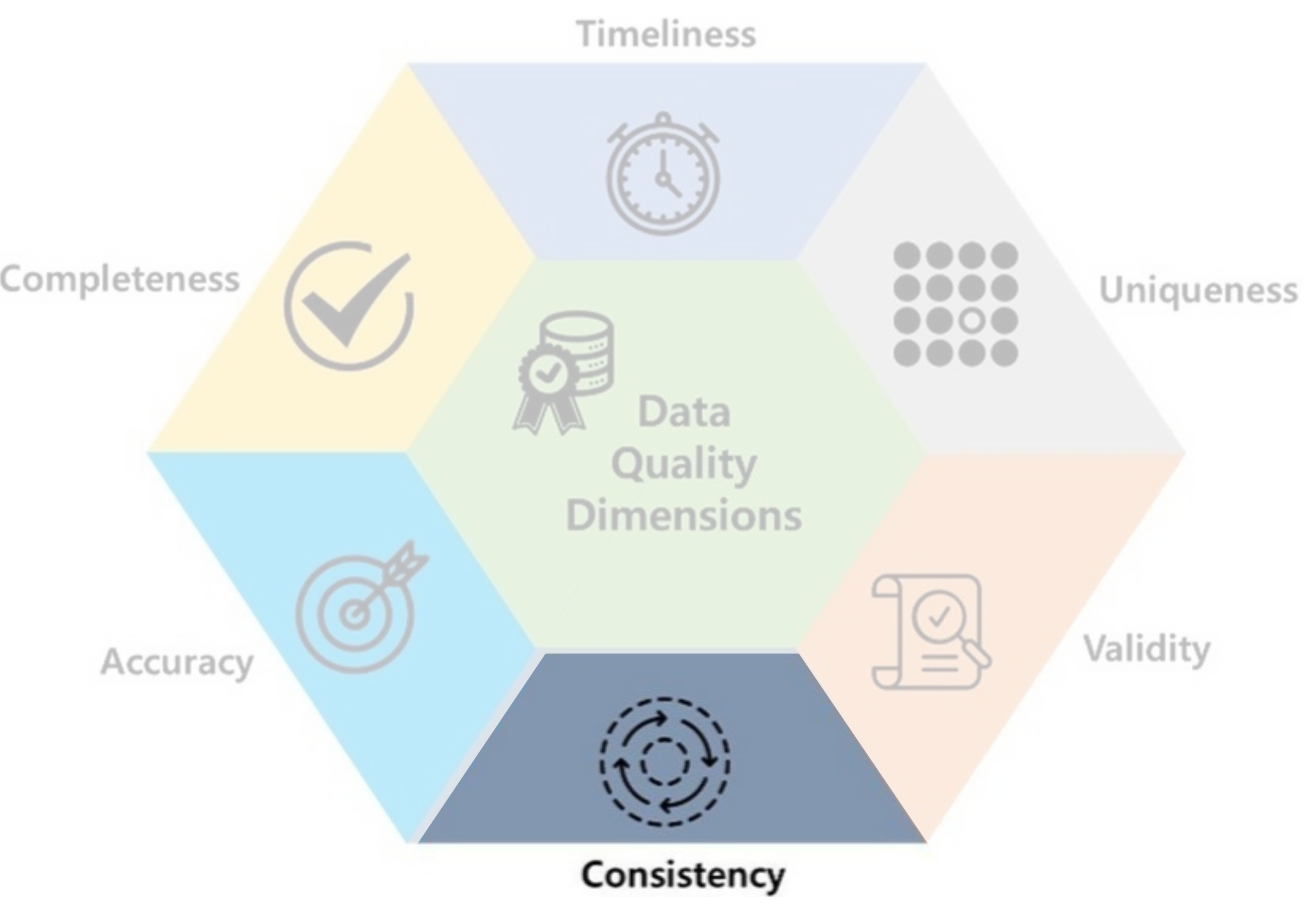
Data quality

  • Consistency: data should be uniform and compatible (format, type…) across different datasets and over time.
  • Ex: 15/03/2004 & 03/15/2004, Male & M…

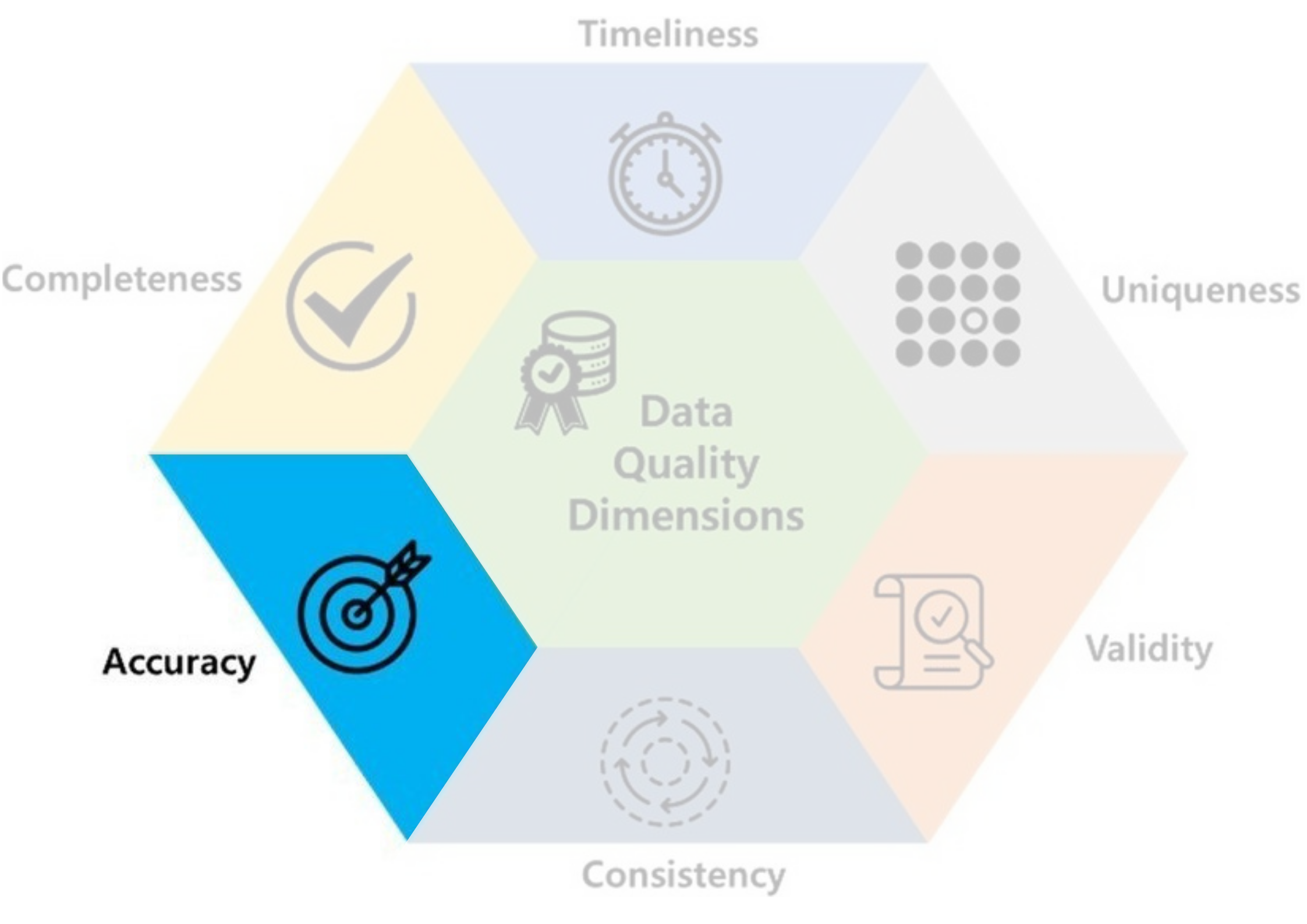
Data quality

  • Accuracy: data should be accurate and reflects what it is meant to measure.
  • Ex: You entered ‘I like Data Mining Course So Much 😭​!’ beause the survey is not anonymous.

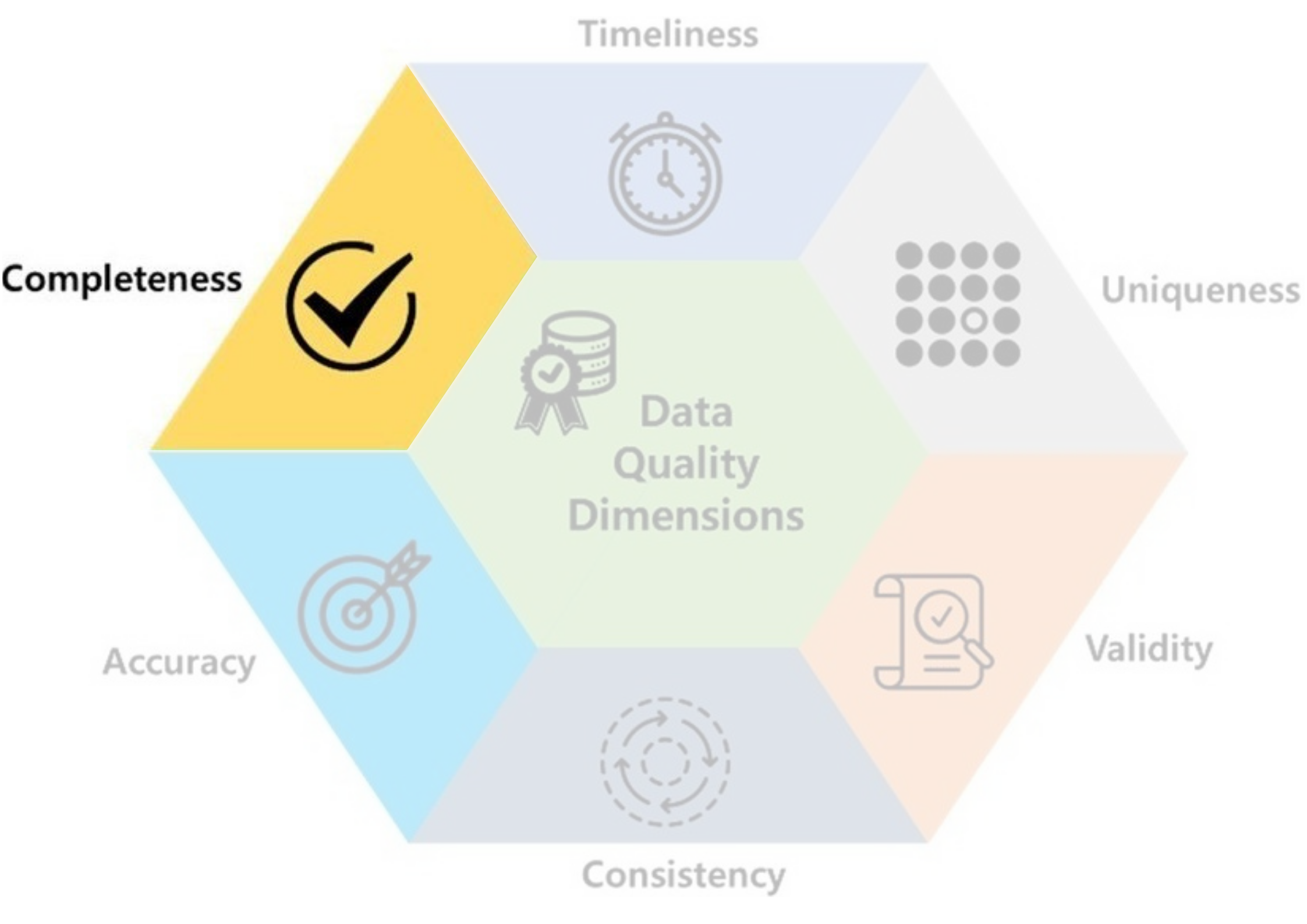
Data quality

  • Completeness: data should not contain missing values.
  • Ex: If it’s optional, salaries are often missing.

Data quality

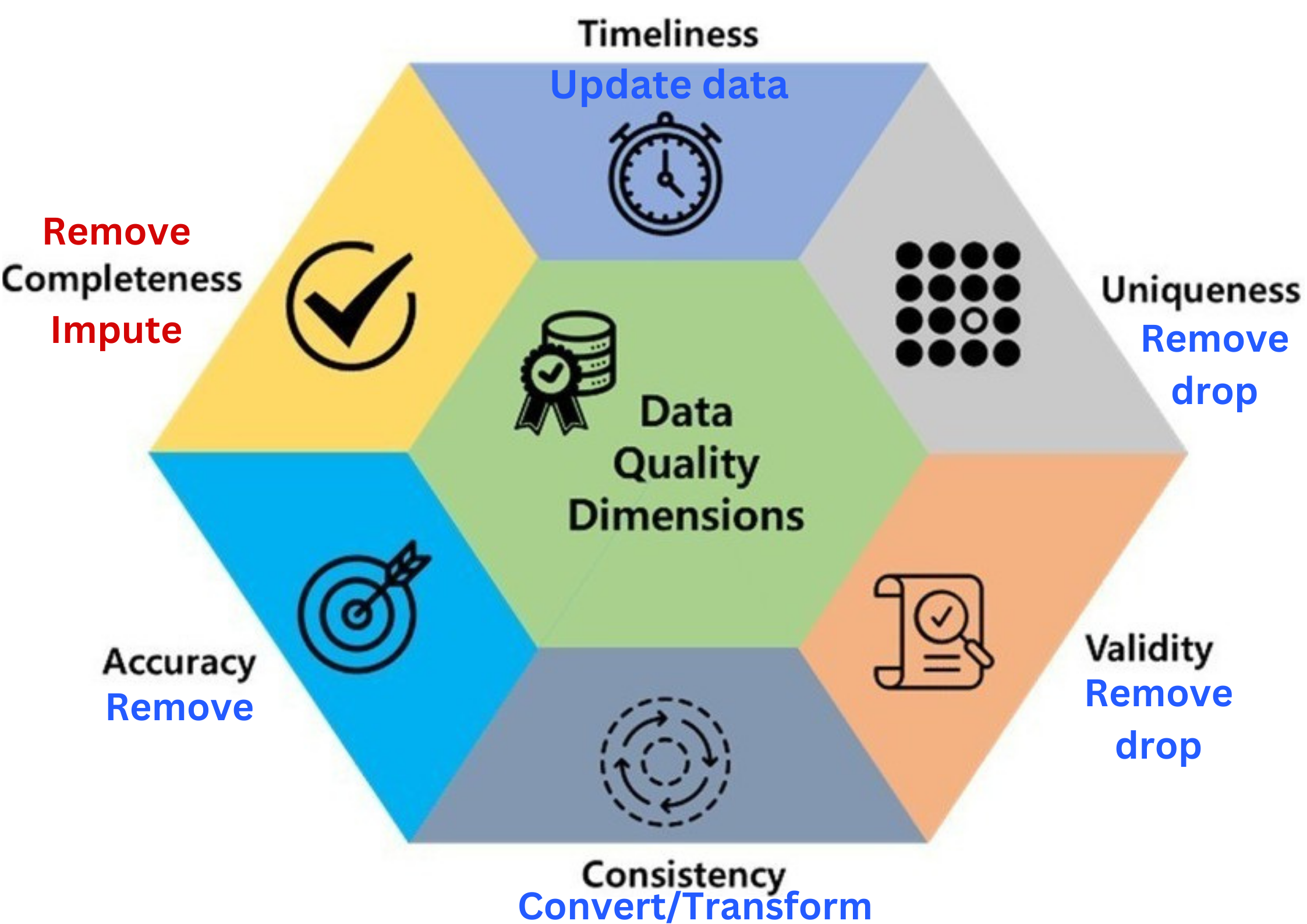
  • Data quality includes these 6 factors.

Data quality

  • Data quality includes these 6 factors.
  • If there is a problem with any of these, you may ☝️
  • For secondary sources, Incompleteness is the common one.

Data Preprocessing

Data preprocessing

Consider an example: Titanic

Sex Pclass Fare Cabin
0 male 3 7.2500 NaN
1 female 1 71.2833 C85
2 female 3 7.9250 NaN
3 female 1 53.1000 C123
4 male 3 8.0500 NaN
5 male 3 8.4583 NaN
6 male 1 51.8625 E46
7 male 3 21.0750 NaN
8 female 3 11.1333 NaN
9 female 2 30.0708 NaN
10 female 3 16.7000 G6
11 female 1 26.5500 C103

Data preprocessing

Consider an example

Sex Pclass Fare Cabin
0 male 3 7.2500 NaN
1 female 1 71.2833 C85
2 female 3 7.9250 NaN
3 female 1 53.1000 C123
4 male 3 8.0500 NaN
5 male 3 8.4583 NaN
6 male 1 51.8625 E46
7 male 3 21.0750 NaN
8 female 3 11.1333 NaN
9 female 2 30.0708 NaN
10 female 3 16.7000 G6
11 female 1 26.5500 C103
data.dropna(inplace=True)

Data preprocessing

Consider an example

Sex Pclass Fare Cabin
0 male 3 7.2500 NaN
1 female 1 71.2833 C85
2 female 3 7.9250 NaN
3 female 1 53.1000 C123
4 male 3 8.0500 NaN
5 male 3 8.4583 NaN
6 male 1 51.8625 E46
7 male 3 21.0750 NaN
8 female 3 11.1333 NaN
9 female 2 30.0708 NaN
10 female 3 16.7000 G6
11 female 1 26.5500 C103
data.drop(columns = ['Cabin'])

Data preprocessing

Missing values

  • Data of \(4\)-\(7\) years old kids.
Gender Age Height Weight
F 68 0 20
F 68 0 18
F 65 105 0
F 63 0 15
F 68 112 0
F 66 106 0
  • What’s wrong with this data?
  • These are probably missing values (NA, nan, NaN…) in disguise.

  • Question: how do we handle it: Drop or Impute?

  • Answer: we should at least know what kind of missing values are they: MCAR, MAR or MNAR?

Data Preprocessing

Missing values

Missing Completely At Random (MCAR)

  • They are randomly missing.
  • Easy to handle with imputation or dropping methods if not so many.
  • They don’t introduce bias.
  • Removing them does not affect other columns.
  • Ex: Missing values do not affect Age. They are MCAR in this case.
Code
import plotly.graph_objects as go
import plotly.express as px
from plotly.subplots import make_subplots
data_dropped_NA = data_kids.loc[(data_kids.Height > 0) & (data_kids.Weight > 0)]
fig_kid1 = go.Figure(go.Histogram(
    x=data_kids.Age, 
    name="Before dropping NA", 
    showlegend=True))
fig_kid1.add_trace(
    go.Histogram(
        x=data_dropped_NA.Age, 
        name="After dropping NA", 
        showlegend=True, 
        visible="legendonly"))
fig_kid1.update_layout(barmode='overlay', 
                       title="Distribution of Age", 
                       xaxis=dict(title="Age"),
                       yaxis=dict(title="Count"),
                       width=500,
                       height=400)
fig_kid1.update_traces(opacity=0.5)
fig_kid1.show()

Data Preprocessing

Missing values

Missing At Random (MAR)

  • The missingness is related to other columns.
  • One can try using those related columns to impute.
  • If not too many, model-based imputation often work well: KNN
  • Ex: Most of the missing values are from female children. They are MAR in this case.
Code
count = data_kids.Gender.value_counts()
fig_kid2 = go.Figure(
    go.Bar(
        x=count.index, 
        y=count, 
        name="Before dropping NA"))
count_NA = data_dropped_NA.Gender.value_counts()
fig_kid2.add_trace(
    go.Bar(x=count_NA.index, 
    y=count_NA, 
    name="After dropping NA", 
    visible="legendonly"))
fig_kid2.update_layout(barmode='overlay', 
                       title="Distribution of Gender", 
                       xaxis=dict(title="Gender"),
                       yaxis=dict(title="Count"),
                       width=500,
                       height=400)
fig_kid2.update_traces(opacity=0.5)
fig_kid2.show()

Data Preprocessing

Missing values

Missing Not At Random (MNAR)

  • These are the trickiest, as the missingness is related to the missing values themselves.
  • It may require domain-specific knowledge or advanced techniques (more data, external info…).
  • It’s hard to judge if missing values are actually MNAR.
  • Ex: Very high or very low salaries are often missing from a survey if it’s optional.
  • If not so many, dropping is a common solution.

Data Preprocessing

Rules of Thumb

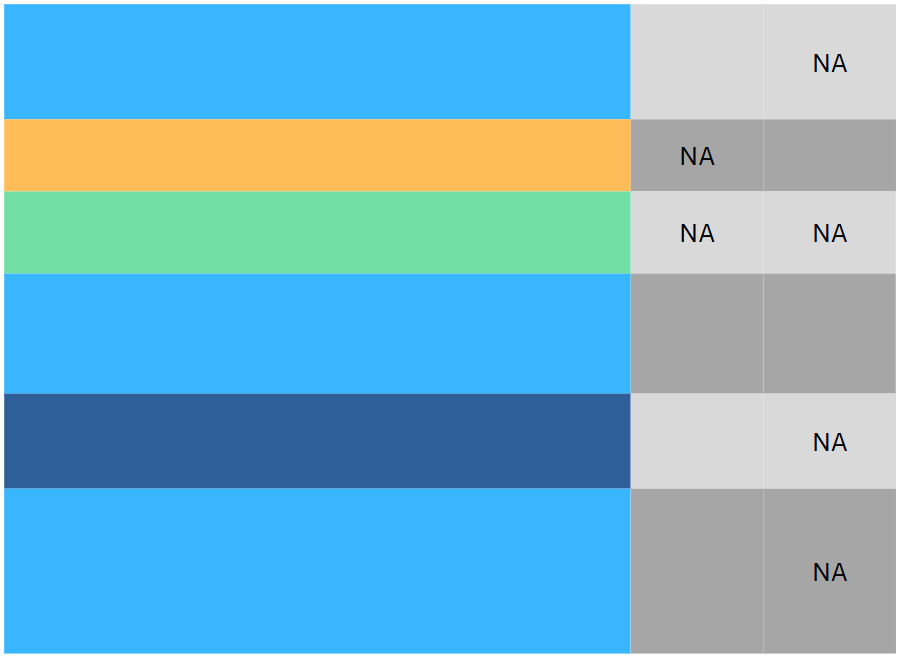
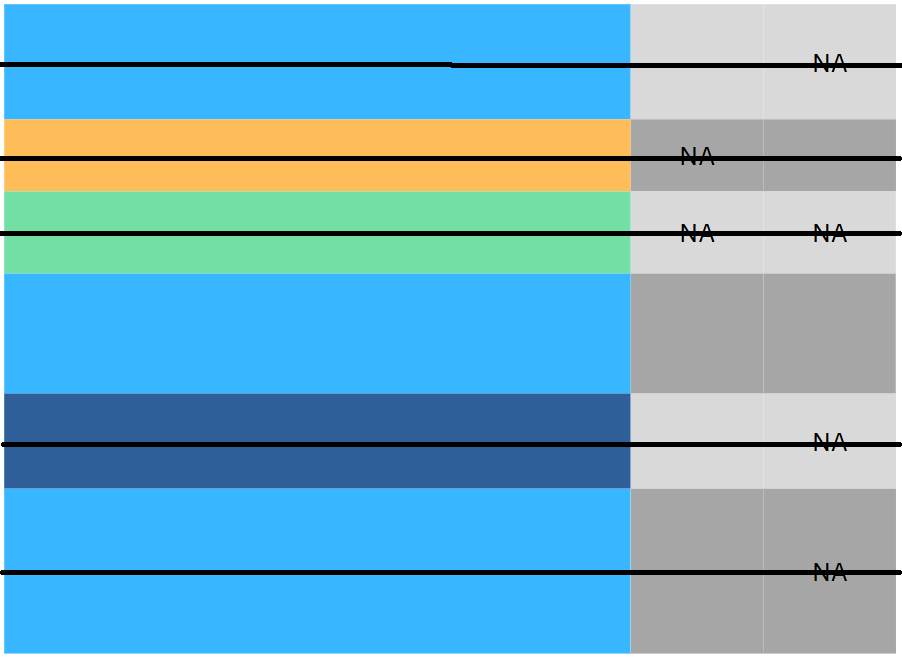
Proportion of NA Rules of thumb
\(< 5\%\) Drop/remove rows.
\(5-10\%\) Can be dropped but must be cautious about the type of missing.
\(10-20\%\) Better to be imputed according to their types.
\(20-30\%\) Remove the entire column, if it’s not so important.
\(>30\%\) Remove the entire column.

Data Preprocessing

Outliers

  • Data points that deviate significantly from the majority of observations in a dataset.
  • It can influence our analyses: insightful or problematic!
  • We can hunt them down using:
    • Graphs: Scatterplots, Boxplots or histograms…
    • They often fall outside \([\text{Q}_1-1.5\text{IQR},\text{Q}_3+1.5\text{IQR}]\).

Data Preprocessing

Handling outliers

  • Not all outliers would affect the analysis (may be ignored).
  • We can apply capping (limiting outliers to some values) or Trimming (completely remove them).
  • Some transformations may reduce the effect of outliers:
    • Z-score: \(x\to \frac{x-\overline{x}}{\sigma_{x}}\) (centered by mean, scaled by std).
    • Min-Max scaling: \(x\to\frac{x-\min}{\max-\min}\in [0,1]\).
    • If the data are positive: \(x\to \log(x)\) or \(x\to \sqrt{x}\)
  • No absolute solution! It depends on the analysis.

Data Preprocessing

Duplicated data

  • Duplicated data: repeated row data.
data.duplicated() # Show all duplicated rows
  • How/why would they affect the analysis?
    • They cause data storage waste.
    • They cause misleading analysis/conclusion.
    • They affect some model performance (mostly non-parametric).
  • They are often removed from the data.
data.drop_duplicates(inplace=true) # Drop all duplicates from the data

Real Example

Real Example

Titanic Dataset (891 rows, 12 columns)

Survived Pclass Sex Age SibSp Parch Fare Cabin Embarked
0 0 3 male 22.0 1 0 7.2500 NaN S
1 1 1 female 38.0 1 0 71.2833 C85 C

Data types:

Survived Pclass Sex Age SibSp Parch Fare Cabin Embarked
0 int64 int64 object float64 int64 int64 float64 object object

Missing values:

Survived Pclass Sex Age SibSp Parch Fare Cabin Embarked
0 0 0 0 177 0 0 0 687 2
  • Question: What should we do in the preprocessing step?
  • Answer: We should:
    • Convert Survived and Pclass to be object.
    • Handle missing values: drop 1 NA of Fare, remove column Cabin and study Age.

Real Example

Titanic Dataset (891 rows, 12 columns)

  • Convert data types:
col_to_be_converted = ['Survived', 'Pclass']
for col in col_to_be_converted:
    data[col] = data[col].astype(object)
data[col_to_be_converted].dtypes.to_frame().T
Survived Pclass
0 object object
  • Drop column Cabin:
data.drop(columns = ["Cabin"], inplace = True)
  • Drop 1 row with NA in Fare:
data.dropna(subset = ['Fare'], inplace = True)
  • Study missing values in Age:
    • Impact on qual columns:
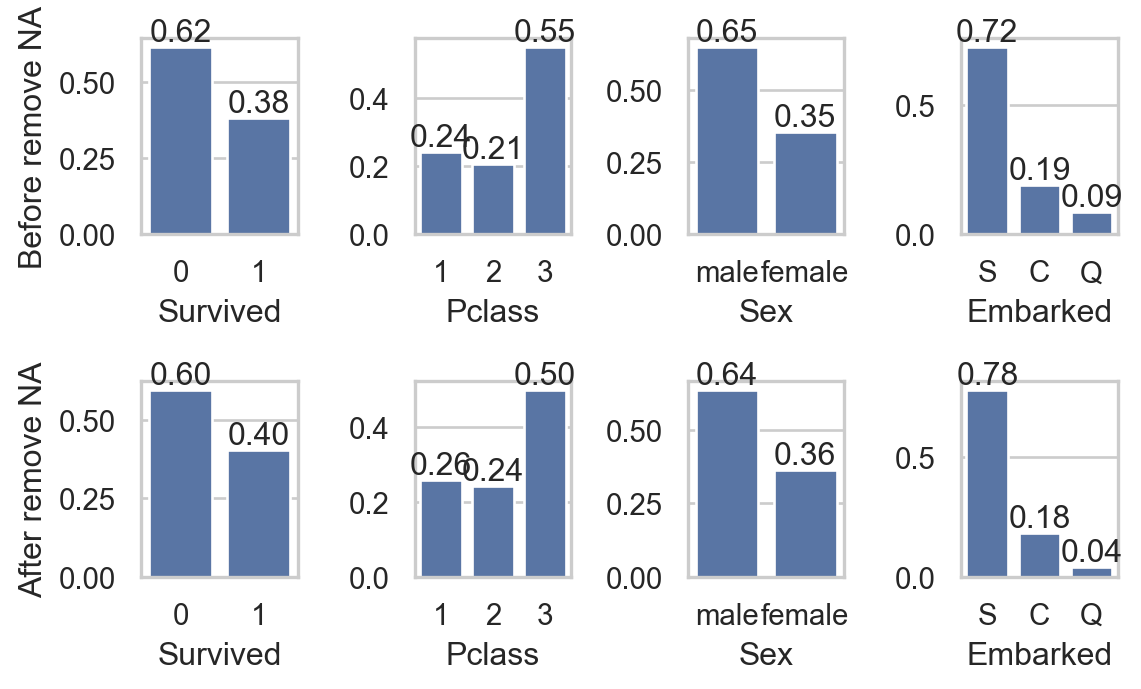
Code
import seaborn as sns
import matplotlib.pyplot as plt
sns.set(style="whitegrid")
fig, axs = plt.subplots(2, 4, figsize=(6, 3.75))
col_qual = ['Survived', 'Pclass', 'Sex', 'Embarked']
for i, va in enumerate(col_qual):
    sns.countplot(data, x=va, ax=axs[0,i], stat = "proportion")
    axs[0,i].bar_label(axs[0,i].containers[0], fmt="%0.2f")

    sns.countplot(data.dropna(), x=va, ax=axs[1,i] , stat = "proportion")
    axs[1,i].bar_label(axs[1,i].containers[0], fmt="%0.2f")
    if i == 0:
        axs[0,i].set_ylabel("Before remove NA")
        axs[1,i].set_ylabel("After remove NA")
    else:
        axs[0,i].set_ylabel("")
        axs[1,i].set_ylabel("")
plt.tight_layout()
plt.show()


Real Example

Titanic Dataset (891 rows, 12 columns)

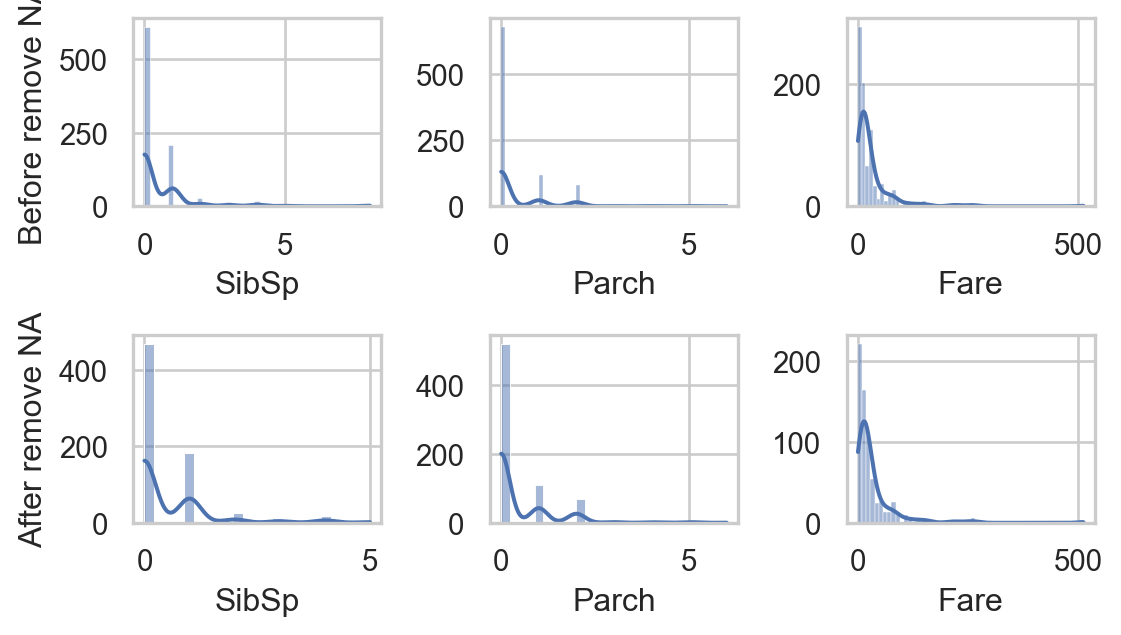
  • Impact on quan columns:
Code
sns.set(style="whitegrid")
fig, axs = plt.subplots(2, 3, figsize=(6, 3.5))
col_quan = ['SibSp', 'Parch', 'Fare']
for i, va in enumerate(col_quan):
    sns.histplot(data, x=va, ax=axs[0,i], kde=True)
    sns.histplot(data.dropna(), x=va, ax=axs[1,i], kde=True)
    if i == 0:
        axs[0,i].set_ylabel("Before remove NA")
        axs[1,i].set_ylabel("After remove NA")
    else:
        axs[0,i].set_ylabel("")
        axs[1,i].set_ylabel("")
plt.tight_layout()
plt.show()
  • Do you think that removing NA greatly affects other columns?
  • Study missing values in Age:
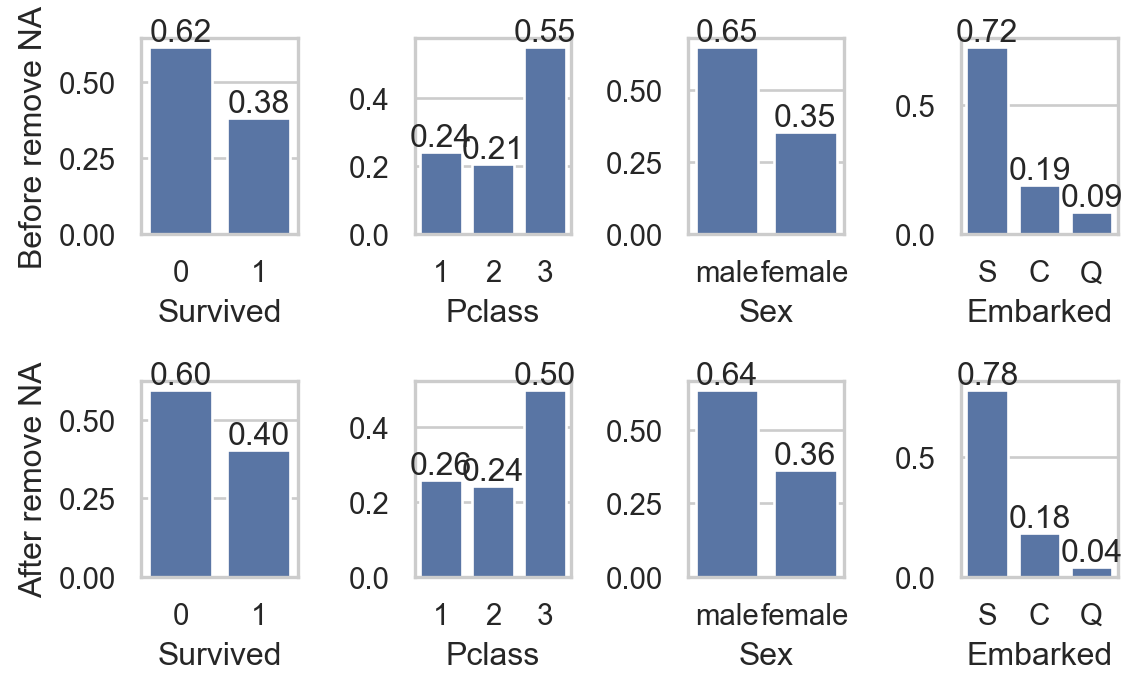
    • Impact on qual columns:
Code
import seaborn as sns
import matplotlib.pyplot as plt
sns.set(style="whitegrid")
fig, axs = plt.subplots(2, 4, figsize=(6, 3.75))
col_qual = ['Survived', 'Pclass', 'Sex', 'Embarked']
for i, va in enumerate(col_qual):
    sns.countplot(data, x=va, ax=axs[0,i], stat = "proportion")
    axs[0,i].bar_label(axs[0,i].containers[0], fmt="%0.2f")

    sns.countplot(data.dropna(), x=va, ax=axs[1,i] , stat = "proportion")
    axs[1,i].bar_label(axs[1,i].containers[0], fmt="%0.2f")
    if i == 0:
        axs[0,i].set_ylabel("Before remove NA")
        axs[1,i].set_ylabel("After remove NA")
    else:
        axs[0,i].set_ylabel("")
        axs[1,i].set_ylabel("")
plt.tight_layout()
plt.show()
Real Example

Titanic Dataset (891 rows, 12 columns)

  • As removing NA barely impacts other columns, we can
    • Drop rows with NA or
    • Impute with mean (no extreme outliers) or median (with outliers).
data.fillna(value = data[['Age']].median(), inplace = True)
data.iloc[:,[1,2,4,5,6,7,9,10]].isna().sum().to_frame().T
Survived Pclass Sex Age SibSp Parch Fare Embarked
0 0 0 0 0 0 0 0 2
  • Age after imputation:

Summary & tips

  • Preprocessing data can greatly boost the analysis and performance of the models.
  • 🔑 Keys points to consider:
    • Are data types correctly enocded (quan or qual)?
    • Are there any duplicated data?
    • Are there any missing values?
    • Are there any outliers?
  • Ways to handle them depend on the analysis, and there is no absolute solution.
  • Everything often comes down to trying!

🥳 Yeahhhh….


Let’s Party… 🥂